
Car Parking Simulator Offline
Play Count0
Published2025-10-24
Supported DevicesPC + Mobile
CategoryAdventure & RPG
Rating★★★★★5.0Rate this game
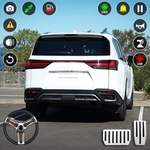
📝Car Parking Simulator Offline Overview
Roll into tight corners, squeeze past barriers, and nail the perfect park without scratching the paint in this no-nonsense offline challenge.
💬What is Car Parking Simulator Offline?
You're dropped into a barely marked lot with a handful of cones and two rows of cars that look like they've been parked by someone with a grudge. Your job sounds simple: get your car into the glowing spot without touching anything. It's not. The movement is pure four-directional—no steering wheel, no rotation, just slide forward, back, left, right. That makes every turn a series of tiny nudges. I spent a full minute inching toward a spot that looked impossible from the overhead view, only to realize I had the car backwards the whole time.
What surprised me is how much depth that flat control scheme hides. Since you can't angle the car, you have to think in straight lines and 90-degree corrections. A tight alley between a truck and a wall becomes a puzzle: move up two taps, right one, back three, then commit. The camera stays fixed overhead, so you always see the whole lot, which helps, but it also means there's nowhere to hide. Each level adds more obstacles—shopping carts, barriers, other vehicles parked at awkward angles—and the penalty for bumping anything is an instant retry from the start of that level. That got my heart rate up more than I'd like to admit.
Because it's offline, I ended up playing it in places where my signal dropped to zero. No ads interrupting, no loading screens. Just you, the car, and a spot that's mocking you. It's not flashy, but the satisfying clunk when you finally stop dead-center in the white lines is why I kept coming back. If you're after a no-pressure parking fix, this is it.
👥How to Play Car Parking Simulator Offline
Mobile controls available and for keyboard
W / Arrow Up → Move Front
S / Arrow Down → Move Back
A / Arrow Left → Move Left
D / Arrow Right → Move Right
✨Game Tips
Use short taps on arrow keys instead of holding them; you'll creep forward precisely.
Treat each parking spot as a sequence of straight-line moves—never try to cut diagonal corners.
If you're stuck, back out to a wider area and reapproach with the spot directly above or below you.
Watch the shadow under your car; it helps judge exactly when you're inside the lines.
Go slow on levels with carts and cones; a single bump sends you back to the start.
The car doesn't rotate, so align yourself with the spot's orientation from the very first move.
🔧FAQ
Q: Is Car Parking Simulator Offline free?
A: Yes, the game is completely free to play in your browser with no paywalls or forced purchases.
Q: Can I play Car Parking Simulator Offline on mobile?
A: Yes, it has touch controls built for mobile screens. Tap the on-screen arrows to move the car.
Q: Do I need to download anything to play?
A: No download is needed. It runs directly in your web browser using HTML5, so just open the page and play.
Q: Does the game work without an internet connection?
A: Once the page has loaded, you can keep playing even if you go offline, which is perfect for travel or spotty Wi-Fi.
Q: What are the keyboard controls?
A: Use W or Arrow Up to go forward, S or Arrow Down to reverse, and A/D or Arrow Left/Right to move sideways.
Q: Is Car Parking Simulator Offline hard to master?
A: It starts easy but gets tricky as obstacles add up. The lack of car rotation makes later levels a real puzzle.