
Cars Simulator
Play Count0
Published2020-09-21
Supported DevicesPC + Mobile
CategoryAdventure & RPG
Rating★★★★★5.0Rate this game
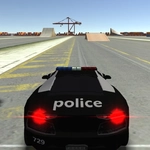
📝Cars Simulator Overview
Rev the engine, ignore the speed limit, and find out just how far a car can fly off a concrete ramp in this open-world 3D sandbox.
💬What is Cars Simulator?
I wasn't expecting much from a browser car game, but Cars Simulator's physics model genuinely surprised me. You get a fairly large map with streets, highways, some dirt paths, and a bunch of ramps scattered around like the developers wanted you to test the suspension. The WASD controls are simple—W to accelerate, S to brake/reverse, A and D to steer—but the car has actual weight to it. Take a corner too fast and you'll understeer into a wall, or overcorrect and spin out. That's not a complaint; it's the best part.
The camera sits behind the car, which works fine until you're airborne, then the view tilts and you realize you should have braked. I spent twenty minutes just launching off a ramp near the beach, trying to land on a shipping container. No missions, no timer, no score—just you and a car that obeys physics. If you're the type who likes to set your own goals (or just drift around an empty parking lot), this delivers.
It's not a polished AAA title. The textures are basic, and the map can feel empty. But for a free unblocked game you can jump into during a break, it scratches an itch. The car handles differently depending on speed, and you can actually feel the difference between driving on pavement and grass, which is more than I can say for a lot of mobile racers.
👥How to Play Cars Simulator
WASD to control car
✨Game Tips
Tap W gently from a stop to avoid wheelspin, especially on dirt or grass.
The handbrake isn't mapped by default—use S to slow into sharp turns instead.
Look for the long straight highway on the east side of the map to test top speed.
If you flip upside down, hold S and steer to rock the car back onto its wheels.
Experiment with half-throttle around corners; full throttle will almost always cause understeer.
Take a ramp at high speed but line up straight—any angle will send you into a barrel roll.
🔧FAQ
Q: Is Cars Simulator free to play?
A: Yes, it's completely free in your browser with no hidden costs or in-game purchases.
Q: Can I play Cars Simulator on mobile?
A: The game is built for desktop browsers with keyboard controls, so mobile support is limited or unavailable.
Q: Do I need to download anything to play Cars Simulator?
A: No downloads needed. It runs in HTML5, so just open the page and drive.
Q: What are the controls for Cars Simulator?
A: Use WASD: W to accelerate, S to brake/reverse, A and D to steer left and right.
Q: Does Cars Simulator have any missions or goals?
A: No, there's no story or objectives. It's an open sandbox where you set your own driving challenges.
Q: Can I change the camera angle in Cars Simulator?
A: The default camera is third-person behind the car. Some versions allow toggling with the C key, but don't count on it.