
City Coach Bus Simulator
Play Count0
Published2020-08-04
Supported DevicesPC
CategoryAdventure & RPG
Rating★★★★★5.0Rate this game
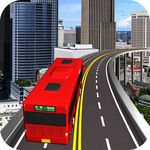
📝City Coach Bus Simulator Overview
Grab the wheel of a city bus, pick up passengers, and keep your schedule without turning downtown into a demolition derby.
💬What is City Coach Bus Simulator?
You know that moment when you're three minutes behind schedule, a yellow light turns red, and a taxi cuts you off? City Coach Bus Simulator is basically that feeling, stretched into a whole game. You roll up to a stop, wait for the doors to hiss open, and hope nobody's standing too close when you pull away. The route markers are clear, but the traffic sure isn't.
What got me hooked wasn't the speed—it's the tiny judgment calls. Do you brake hard and risk a pile of annoyed passengers, or do you ease through the intersection and eat the delay? The bus has real weight to it. Turn too sharp and you'll feel the back end swing wide, straight into a parked Prius. The controls are simple enough: keyboard handles gas and brakes, mouse gives you camera control and steering precision. I saw myself replaying the same block twice after clipping a fire hydrant and just laughing.
It's not a fast arcade racer, and that's exactly why it works. The city chunks along at a believable pace, with timed stops and a route that makes you actually look at street signs. The graphics are clean but not flashy—enough to tell a bus from a dump truck, which is all you need at 2 a.m. If you like sims where careful driving beats full throttle, this one's a low-key winner.
👥How to Play City Coach Bus Simulator
Use Mouse To Play and Keyboard
✨Game Tips
Brake early and coast into stops—the bus's momentum will punish late braking with a rear-end kiss.
Use the mouse to check your mirrors before turning; blind spots are real here.
Don't rush yellow lights. A red light camera means a fine and schedule delay.
Stick to the middle lane unless you're turning—less chance of side-swiping parked cars.
Passengers board faster when you stop perfectly aligned with the curb, so practice your approach.
🔧FAQ
Q: Is City Coach Bus Simulator free to play?
A: Yes, it's completely free on the site with no hidden paywalls.
Q: Can I play City Coach Bus Simulator on my phone?
A: Yes, the HTML5 version works on most mobile browsers, though a keyboard is recommended for smooth driving.
Q: Do I need to download anything to start playing?
A: No downloads needed—just open the game in your browser and hit the road.
Q: What are the keyboard controls?
A: Typically arrow keys or WASD for throttle and steering, with the mouse for camera and fine turning adjustments.
Q: Does the game have different bus routes?
A: Yes, you can unlock multiple city routes as you complete scheduled stops without major accidents.
Q: Is there a time limit for each route?
A: Yes, you have a schedule to keep, but the timer is forgiving if you avoid crashes and stop at red lights.