
City Construction Games 3D
Play Count0
Published2023-11-17
Supported DevicesPC
CategoryAdventure & RPG
Rating★★★★★5.0Rate this game
📝City Construction Games 3D Overview
Grab the controls of heavy machinery and piece together a living city block by block—will your tower stand or topple?
💬What is City Construction Games 3D?
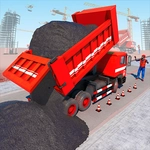
You get dropped onto a bare lot with nothing but a few machines and a whole lot of empty space. The first thing I did was hop into the bulldozer and start flattening ground—it feels weighty, not like a toy. Keyboard controls are simple but the physics make every girder placement feel earned. One wrong swing of the crane and your steel beam clips the half-built wall, sending a shower of sparks and a chunk of concrete to the ground. That's the moment this game clicked for me: it's not about speed, it's about patience and alignment.
After you've cleared the site, you'll start laying foundations, then walls, then floors. Each building phase asks you to switch vehicles—trucks deliver materials, cranes lift the heavy stuff, and excavators dig trenches for utilities. There's no hand-holding, so you learn by toppling a few structures. My first skyscraper leaned like a drunk giraffe because I ignored the elevation readout. Fixing it meant tearing down two floors and redoing the slab. Annoying? A little. Realistic? Absolutely.
The 3D camera lets you orbit the site and zoom down to street level, which helps when you're trying to line up a beam from exactly the right angle. It's a slow burn, but watching your skyline fill in block by block is weirdly satisfying. If you like construction games or just want to test your spatial logic, this one will eat an afternoon.
👥How to Play City Construction Games 3D
Use Keyboard Button To Controll The City Construction Games 3D.
✨Game Tips
- Master the crane's hook before stacking high—swing gently and lower the load only when it stops swaying.
- Use the overhead camera to line up corners; a two-pixel misalignment at the base becomes a disaster at floor ten.
- Clear and compact the site first, even if it feels slow. Uneven ground will tilt everything you build later.
- Switch vehicles often—dump trucks handle materials, but the excavator is faster for trenching.
- If a wall starts to crack, don't add more weight; remove the top layer and brace the lower floors.
🔧FAQ
Q: Is City Construction Games 3D free to play?
A: Yes, it runs free in your browser with no download or sign-up needed.
Q: Can I play City Construction Games 3D on mobile?
A: The game uses keyboard controls, so it's best on a desktop or laptop with a physical keyboard.
Q: Do I need to install anything to play City Construction Games 3D?
A: No installation required—just open the page and the game loads in your browser.
Q: What are the controls for City Construction Games 3D?
A: Use the keyboard buttons as shown on screen to move vehicles, raise/lower arms, and drop materials.
Q: Is City Construction Games 3D suitable for kids?
A: Yes, there's no violence or inappropriate content, just construction vehicles and building puzzles.
Q: Does City Construction Games 3D have a save feature?
A: The game doesn't keep permanent saves, so your site resets each time you reload the page.