
City Construction Simulator 3D
Play Count0
Published2020-08-25
Supported DevicesPC
CategoryAdventure & RPG
Rating★★★★★5.0Rate this game
📝City Construction Simulator 3D Overview
Grab the keys to a heavy rig, haul concrete and steel, and watch a bare dirt lot transform into a bustling urban skyline.
💬What is City Construction Simulator 3D?
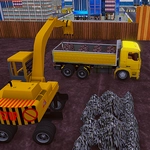
You hop into the driver's seat of a dump truck, the engine grumbling under you as you roll toward the first foundation pit. The site is a mess—dirt piles, scattered bricks, and a half-finished road that peters out into weeds. Your job? Fix all of it.
City Construction Simulator 3D isn't about clicking buttons; it's about actually driving each machine where it needs to go. You'll reverse a cement mixer up a narrow ramp, aiming the chute just right so the pour doesn't spill. I spent a good five minutes trying to line up an excavator bucket with a trench, and when it finally bit into the soil, that little 'thunk' of physics felt earned. The controls are simple—WASD or arrows to move, mouse to adjust the sliders that control boom height or bed tilt—but the challenge comes from maneuvering heavy equipment in tight spots.
The map starts sparse but fills in as you complete deliveries and pours. There's no timer screaming at you, so you can take your time learning how each vehicle handles. Trucks have weight to them; turn too sharp and you'll feel the back end swing. The 3D perspective gives you just enough view to plan your next move, though sometimes a pile of rubble blocks your sightline and you have to inch forward blind. That's when the game gets fun—not when it's easy, but when you have to work for every beam you set. If you like construction sims or just want to drive big machines without reading a manual, this one scratches that itch.
👥How to Play City Construction Simulator 3D
Use WASD or Arrow keys -> Vehicles Movement
Left Mouse Button -> To Increase or decrease the slider
✨Game Tips
Reverse slowly and straighten your wheels before backing into tight spots.
Use the mouse slider to fine-tune the boom angle when dropping beams.
Keep an eye on the dump truck's bed tilt; over-tilting can scatter your load.
If you get stuck on debris, rock back and forth with short throttle taps.
Plan your route to the foundation before you load up—some paths dead-end.
Take wide turns, especially with long trailers, to avoid clipping corners.
🔧FAQ
Q: Is City Construction Simulator 3D free?
A: Yes, it's completely free to play in your browser with no hidden fees.
Q: Can I play City Construction Simulator 3D on mobile?
A: The game runs on most mobile browsers, though keyboard controls are best on desktop.
Q: Do I need to download anything to play?
A: No downloads needed—just open the page and start building.
Q: What are the controls for City Construction Simulator 3D?
A: Use WASD or arrow keys to drive, and click the left mouse button to adjust sliders.
Q: Is City Construction Simulator 3D suitable for kids?
A: It's family-friendly with no violence; younger kids may need help with controls.
Q: Can I save my progress in City Construction Simulator 3D?
A: Progress saves automatically in your browser as you complete construction stages.