
City Construction Simulator Master 3D
Play Count0
Published2021-10-27
Supported DevicesPC + Mobile
CategoryAdventure & RPG
Rating★★★★★5.0Rate this game
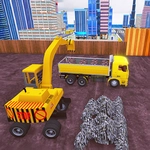
📝City Construction Simulator Master 3D Overview
Hop in a bulldozer, swing a crane, and turn an empty lot into a gleaming metropolis — one load of dirt at a time.
💬What is City Construction Simulator Master 3D?
If you've ever wanted to sit behind the wheel of a front loader without the risk of getting your boots muddy, City Construction Simulator Master 3D scratches that itch. You start with a plot of dirt and a few machines parked nearby. The job board tells you what needs moving, digging, or hauling. It sounds straightforward until you realize the excavator arm has its own ideas about momentum.
The controls are dead simple: WASD or arrow keys drive, space bar brakes. But simple keys don't mean simple work. Backing a dump truck up to a gravel pile without jackknifing? That took me three tries before I stopped clipping the fence. The 3D camera swings around as you move, so you constantly reorient. I wasted a good ten minutes trying to line up a crane hook with a steel beam, only to realize I was approaching from the wrong side the whole time. That's the charm — it's not about speed, it's about patience and spatial awareness.
There's no timer breathing down your neck, which I appreciated. You can take your time, plan your route, and experiment. The city grows gradually: first foundations, then walls, then suddenly a block of towers where there used to be weeds. If you like simulators that trust you to figure things out, this one's a solid afternoon.
👥How to Play City Construction Simulator Master 3D
WASD or Arrow keys - drive, Space - brake
✨Game Tips
Use the brake (space) liberally when reversing near edges or you'll slide into a pit.
The camera doesn't always cooperate; manually swing it around before you commit to a tight turn.
Bigger machines like cranes feel sluggish, so start your turn earlier than you think.
If you're stuck on a task, check the job board for the exact vehicle needed — driving the wrong rig wastes time.
Practice scooping with the excavator in open ground before tackling a foundation dig.
You can ignore traffic rules; there aren't any, but don't expect the physics to forgive a full-speed corner.
🔧FAQ
Q: Is City Construction Simulator Master 3D free to play?
A: Yes, it runs free in your browser with no paywalls or locked vehicles.
Q: Can I play City Construction Simulator Master 3D on my phone?
A: It works on mobile browsers, but the keyboard controls are best on a desktop with a mouse.
Q: Do I need to download anything to start playing?
A: No downloads or installs required — just open the page and the game loads instantly.
Q: What are the controls for City Construction Simulator Master 3D?
A: Use WASD or arrow keys to drive vehicles and Space to brake.
Q: Does the game save my city progress automatically?
A: Progress usually saves locally in your browser, so don't clear your cache if you want to keep your skyline.
Q: Is there a way to restart a level if I mess up?
A: You can refresh the page to reset your current job, or look for a restart button in the pause menu.