
City Drive
Play Count0
Published2019-10-16
Supported DevicesPC
CategoryAdventure & RPG
Rating★★★★★5.0Rate this game
📝City Drive Overview
Toss a city car into a corner, yank the handbrake, and feel the back end slide before you straighten out and gas it.
💬What is City Drive?
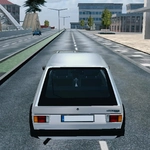
City Drive gives you a compact urban sandbox, a car with weight, and no traffic rules to slow you down. I spent my first five minutes just ramping off curbs and spinning in intersections — the handbrake isn't just a button, it actually locks the rears so you can flick the car sideways. The default camera sits low behind the bumper, but tap C and you'll cycle to a chase view that makes drifting between blocks easier to read.
There's no story or mission timer here. You pick an area, drive, and make your own fun. The map loops through a few city blocks with wide roads, tight alleys, and those little concrete barriers that love to catch your bumper. If you're used to arcade racers where every car is a rocket, City Drive feels heavier — momentum matters, and braking late into a turn usually means oversteer. That's the good stuff. Jump a median at speed and the suspension compresses with a thunk you'll feel through your keyboard. I kept coming back to one particular downhill stretch where you can chain three slides if you time the handbrake taps right.
Pause with Tab or Escape when you need a breather — it's easy to lose track of time. No downloads, no sign-ups, just an HTML5 build that runs in a browser. It's a bit rough around the edges in places, but for a quick city drive that actually lets you drive, it hits the itch.
👥How to Play City Drive
Controls
• WASD to control car
• Press Space for handbrake
• Press Escape
• Tab to toggle pause
• Press C to change camera
✨Game Tips
Tap Space in short bursts instead of holding it — a quick tap initiates a slide without throwing you into a full spin.
Switch to the chase cam with C before attempting long drifts; the bumper cam hides the rear end.
Use the medians and sidewalks as ramps, but angle slightly so you don't catch the curb straight on.
If you start to spin out, release the gas and countersteer early — don't fight the slide at full throttle.
Explore side streets for concrete barriers; they're great for practicing handbrake turns without traffic.
Hit Tab to pause mid-run if you need to reset your line or check the map.
🔧FAQ
Q: Is City Drive free to play?
A: Yes, it's completely free in your browser with no hidden payments.
Q: Do I need to download anything?
A: No download or install is required — it runs as HTML5.
Q: Can I play City Drive on mobile?
A: It's designed for keyboard controls, so a desktop or laptop works best.
Q: What are the controls for City Drive?
A: WASD to steer and accelerate, Space for handbrake, C to change camera.
Q: Does City Drive work on a school Chromebook?
A: Yes, as long as your browser can run HTML5 games, it will load fine.
Q: Can I pause City Drive?
A: Press Tab or Escape to toggle pause whenever you need a break.