
City Driver 2 - Drive Around The City (Ready)
Play Count0
Published2021-10-26
Supported DevicesPC
CategoryAdventure & RPG
Rating★★★★★5.0Rate this game
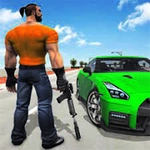
📝City Driver 2 - Drive Around The City (Ready) Overview
Slide behind the wheel, pick a direction, and see how long you can keep that engine purring through crowded city blocks.
💬What is City Driver 2 - Drive Around The City (Ready)?
Ever hop into a virtual car just to see where the road takes you? City Driver 2 drops you into a 3D city with zero instructions beyond 'drive.' You steer with your mouse—push forward to accelerate, pull back to brake, wiggle left and right to corner. It's dead simple, and that's the charm. I spent my first ten minutes doing donuts in an intersection, then accidentally wedged my car between a lamp post and a newsstand. No penalty, no reset screen. The game just lets you be a bad driver, and that freedom is weirdly relaxing.
The city itself isn't huge, but it's dense enough to feel alive: traffic lights you can ignore, other cars that don't really care if you cut them off, and pedestrians who apparently have excellent reflexes. The car handles like a toy—responsive but with enough weight to make hard turns feel satisfying. You'll learn the layout fast: the big boulevard near the spawn point cuts through the middle, side streets loop back to the highway, and there's a couple of open lots that are perfect for high-speed U-turns. I kept finding new shortcuts and tiny alleyways every time I booted it up.
It's not a mission-based game. There's no story, no unlockables, no score chasing. If you need structure, you won't find it here. But if you want a low-stakes cruise to kill twenty minutes, City Driver 2 nails that vibe. The mouse controls are weird at first—I kept oversteering into sidewalks—but after a few minutes you'll be threading through traffic like you own the place. Just don't expect a racing sim.
👥How to Play City Driver 2 - Drive Around The City (Ready)
Mouse Controls
✨Game Tips
Start slow in parking lots to get used to mouse steering sensitivity before hitting main roads.
Use the highway loop on the city edge for top-speed runs without traffic lights.
If you get stuck, wiggle the mouse hard left and right—reverse isn't always obvious.
Ignore red lights; there's no penalty, and other cars will brake for you.
Try drifting around long corners by pulling the mouse back slightly while turning.
Look for shortcuts between buildings—some gaps are just wide enough for your car.
🔧FAQ
Q: Is City Driver 2 - Drive Around The City free?
A: Yes, it's completely free to play in your browser with no hidden payments or sign-ups.
Q: Can I play City Driver 2 on a phone or tablet?
A: It works best with a mouse, but the browser version loads on mobile. Touch controls are not ideal.
Q: Do I need to download or install anything?
A: No downloads needed. The game runs directly in your web browser as an HTML5 title.
Q: What if my car gets stuck on a curb or between objects?
A: Keep steering left and right sharply. Most obstacles will let you slide off after a few seconds.
Q: Does this game have missions or objectives?
A: No missions. You just drive around the city freely and explore at your own pace.
Q: Can I adjust the mouse sensitivity?
A: Sensitivity isn't adjustable in-game, but you can change your system mouse speed to affect steering.