
City Metro Bus Simulator
Play Count0
Published2019-12-03
Supported DevicesPC
CategoryAdventure & RPG
Rating★★★★★5.0Rate this game
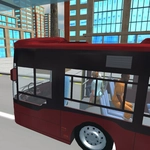
📝City Metro Bus Simulator Overview
Slide behind the wheel of a city bus and thread through midday traffic, timing every stop — one clipped mirror ruins your route.
💬What is City Metro Bus Simulator?
I wasn't expecting much from a browser bus sim, but City Metro Bus Simulator actually nails the feeling of piloting something long and unforgiving. You sit high in the cab, the dash stretching out, and the first thing you do is clip a parked taxi because the turning radius is real. WASD moves you, C flips the camera, and that's it — no physics cheats, no rewind. You're driving a bus, not a go-kart.
The route itself is straightforward: follow the road, pull into stops, don't wreck. But the traffic gets thick, and the bus has weight. I kept catching myself leaning into turns like that would help. The camera change matters more than you think — third-person view lets you see the back end swing wide, while first-person puts you right behind the windshield. You'll learn to tap C constantly, especially when squeezing past cars at intersections.
What kept me coming back was the tiny dopamine hit of a clean stop. Pulling up flush with the curb, passengers loading, then pulling away without hitting anything — that's the loop. It's not flashy, but it's honest. If you like sims where the vehicle feels like it has mass, this one's worth a few runs. Just don't expect to floor it; the bus punishes speed with a broken headlight and a respawn.
👥How to Play City Metro Bus Simulator
• WASD to control bus
• C to change camera
✨Game Tips
Tap C to switch to chase cam before tight turns; seeing the rear swing helps avoid clipping parked cars.
Brake early and coast into stops — the bus doesn't stop on a dime, so start slowing a bus-length before the marker.
Use the whole lane on wide turns; cut too sharp and the back end will hop the curb.
Don't floor it between stops. The acceleration is slow anyway, and sudden braking sends passengers flying (and costs you).
If you get stuck on scenery, reverse with S and straighten out before moving forward again.
Watch traffic patterns at intersections; NPC cars rarely yield, so time your crossing.
🔧FAQ
Q: Is City Metro Bus Simulator free?
A: Yes, the game is completely free to play in your browser. No payment or sign-up required.
Q: Can I play City Metro Bus Simulator on mobile?
A: The game is designed for keyboard controls, so desktop is recommended. Touch controls may not work properly.
Q: Do I need to download anything to play?
A: No download needed. It runs directly in your web browser as an HTML5 game.
Q: How do I change the camera view?
A: Press C on your keyboard to cycle between first-person and third-person camera angles while driving.
Q: What are the controls?
A: Use WASD keys to steer, accelerate, and brake. C changes camera view.
Q: Does the game save my progress?
A: No, it's a session-based game. Your route and score reset when you close or refresh the tab.