
City of Vice Driving
Play Count0
Published2020-07-24
Supported DevicesPC
CategoryAdventure & RPG
Rating★★★★★5.0Rate this game
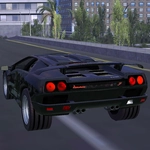
📝City of Vice Driving Overview
Burn through neon-soaked streets, outrun the cops, and see how long you can keep your ride in one piece in City of Vice Driving.
💬What is City of Vice Driving?
I slammed the handbrake into a tight alley, clipped a dumpster, and still managed to lose the two cruisers on my tail. That's the kind of moment City of Vice Driving lives for. It drops you into a sprawling, grimy city where every intersection hides a shortcut or a roadblock, and the only rule is don't get boxed in.
The driving model leans arcade but rewards patience. Full throttle everywhere will spin you out on wet asphalt or send you headfirst into a lamp post. The camera toggle with C is a lifesaver—switching to the hood view makes threading between traffic feel way more intense, and the chase cam is perfect for scanning side streets. There's no story to speak of, but the city itself tells one: abandoned lots, flickering signs, and a police radio that never shuts up.
What kept me coming back wasn't the missions (there aren't any), it's the sandbox chaos. You make your own fun—lose a tail by jumping a construction ramp, go full speed into oncoming traffic just to see how long you last, or drift around a fountain while a helicopter circles overhead. It's the kind of game you alt-tab to during lunch, then realize an hour disappeared. The cars feel distinct enough that you'll develop favorites, and the police AI is just dumb enough to be outsmarted but smart enough to make you sweat. If you like open-world driving without the grind, this is your playground.
👥How to Play City of Vice Driving
WASD - Drive. Space - Brake. C - Change camera.
✨Game Tips
Use C to cycle the camera – hood view makes narrow escapes feel faster and gives better depth perception for gaps in traffic.
Handbrake is your best friend for 90-degree turns, but tap it, don't hold it, to avoid spinning out.
Scan ahead for alleyways and parking lots; they break line of sight and cop cars often can't follow tight corners.
Don't floor it on wet roads – you'll lose traction at the worst moment, usually right before a roadblock.
If a chase gets too hot, drive into a park or pedestrian area; the police slow down but you can keep momentum on grass.
Switch cars when you find one that handles better – the difference between a sedan and a muscle car is night and day in a pursuit.
🔧FAQ
Q: Is City of Vice Driving free to play?
A: Yes, it's completely free in your browser with no hidden paywalls or in-game purchases.
Q: Can I play City of Vice Driving on my phone or tablet?
A: Yes, the game works on mobile browsers, but for the best experience use a keyboard on desktop.
Q: Do I need to download or install anything?
A: No downloads needed. It runs directly in your web browser as an HTML5 game.
Q: Will City of Vice Driving run on a low-end laptop?
A: It's optimized for HTML5, so most laptops handle it fine. Lower the browser zoom if you notice lag.
Q: What are the controls for City of Vice Driving?
A: WASD to drive, Space for handbrake, and C to switch camera angles. That's all you need.
Q: Can I play City of Vice Driving at school or work?
A: If the site is unblocked on your network, yes. No download means it bypasses most restrictions.