
City Tuk Tuk Rickshaw Game
Play Count0
Published2025-10-27
Supported DevicesPC + Mobile
CategoryAdventure & RPG
Rating★★★★★5.0Rate this game
📝City Tuk Tuk Rickshaw Game Overview
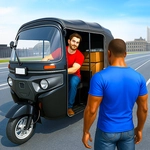
Hop into a rattling three-wheeler and thread your way through city traffic where every corner hides a near miss.
💬What is City Tuk Tuk Rickshaw Game?
I'm not sure what I expected from a browser rickshaw sim, but City Tuk Tuk Rickshaw Game delivers a weirdly satisfying slice of urban chaos. The controls are barebones — WASD or arrow keys move your three-wheeler forward, back, and side to side. That's it. No gear shifts, no handbrake, no horn (a crime for any rickshaw). But the lack of complexity actually works, because the moment you start rolling down those wide, sun-bleached streets, you're too busy scanning for curbs, poles, and other vehicles to want more buttons.
The 3D camera follows behind your tuk tuk like a patient passenger filming a vlog. It's not perfect — clipping through a lamppost sometimes ends with half your vehicle embedded in concrete — but the physics have enough bounce and wobble to make every near miss feel earned. I found myself holding my breath while squeezing between a parked bus and a fruit cart, only to clip the cart's umbrella and send it spinning. The game doesn't yell at you for it; it just lets you reverse out and keep going. That forgiving sandbox energy is where it shines.
There's no score, no timer, no mission list as far as I can tell. You just drive. For some players, that'll feel empty. For me, it was a weirdly meditative loop: one more lap around the block, one more risky turn down an alley. If you're looking for high-stakes racing or deep progression, this isn't it. But as a five-minute coffee-break toy, it scratches an itch you didn't know you had. It runs fine in a browser, though I wouldn't recommend it on a touchscreen — the keyboard controls are the whole point.
👥How to Play City Tuk Tuk Rickshaw Game
W / Arrow Up → Move Front
S / Arrow Down → Move Back
A / Arrow Left → Move Left
D / Arrow Right → Move Right
- To click any button use mouse
✨Game Tips
Stick to the right lane when traffic appears; most oncoming cars hug the left side.
Tap W or Arrow Up in short bursts instead of holding it — full speed makes corners unforgiving.
Use A and D to nudge sideways rather than steering; the tuk tuk rotates slower than you think.
If you get stuck on a curb, reverse (S or Arrow Down) and angle away before moving forward again.
No handbrake, so slow down before intersections — momentum carries you into poles.
Explore the side streets; the main roads loop around but alleys hide fewer obstacles and surprise ramps.
🔧FAQ
Q: Is City Tuk Tuk Rickshaw Game free?
A: Yes, it's completely free to play in your browser with no paywalls.
Q: Do I need to download anything to play?
A: No downloads or installs are required; just open the game page and start driving.
Q: Can I play City Tuk Tuk Rickshaw Game on mobile?
A: It works best with a keyboard, but it may load on mobile browsers. Touch controls are not optimized, so a PC is recommended.
Q: What are the controls?
A: Use W/Up Arrow to go forward, S/Down Arrow to reverse, A/Left Arrow and D/Right Arrow to steer left and right.
Q: Does the game work offline?
A: You need an internet connection to load the game, but once loaded it may continue running offline depending on your browser cache.
Q: Is there any goal or mission in the game?
A: There's no strict objective; it's an open sandbox for cruising the city and exploring at your own pace.