
Cocoman 2
Play Count0
Published2023-01-31
Supported DevicesPC + Mobile
CategoryAdventure & RPG
Rating★★★★★5.0Rate this game
📝Cocoman 2 Overview
Bounce off walls, chain double jumps, and ricochet through tropical obstacle courses as a grinning coconut with serious hang time.
💬What is Cocoman 2?
Cocoman 2 doesn't waste time with tutorials or cutscenes. You drop straight into a series of increasingly tricky platforming gauntlets where the only thing between you and the next checkpoint is a perfectly timed double jump. The movement feels floaty but responsive — there's a subtle pause at the peak of each leap that lets you redirect mid-air, which becomes crucial when spikes line the ceiling or a moving platform drifts just out of reach.
I kept dying on the third section where two rotating blades sandwich a narrow ledge. The trick turned out to be stepping off the edge, falling for a split second, then hitting double jump to thread the gap. That kind of micro-adjustment separates Cocoman 2 from a generic runner. The levels aren't long, but each screen packs in a new wrinkle: crumbling tiles, one-way walls, or springs that launch you into a hazard if you're not careful. The difficulty ramps up without ever feeling unfair — every death traces back to a mistimed button press, not random enemy placement.
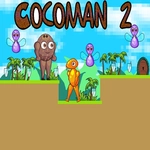
Visually it's bright and simple, all sandy beaches and palm shadows, which keeps the focus on movement. The coconut character's squash-and-stretch animation sells the impact of every landing. No lives, no timers, just pure platforming trial and error. You'll restart more times than you'd like to admit, but each checkpoint feels earned. If you enjoy games like Celeste or Super Meat Boy but want something shorter and friendlier, Cocoman 2 scratches that itch without demanding forty hours of your week.
👥How to Play Cocoman 2
Use "WASD" or "Arrow" keys for the player's movement.
Use "W" or "Up" arrow key twice for double jump.
✨Game Tips
Master the double jump rhythm: tap jump a second time just as you reach the apex for maximum height, not immediately after leaving the ground.
Hug the walls — many platforms sit just beyond a standard leap, but a quick wall bounce closes the distance and saves you from a pit fall.
Let go of the movement keys right before landing on a crumbling tile to reset your momentum and buy an extra half-second.
Use falling to your advantage: sometimes the safest route is stepping off a ledge, then double jumping upward to slip between spinning hazards.
Memorize the level layout after a few deaths; the obstacles are static, so plan your route in reverse from the checkpoint.
Don't bother with single jumps on wide gaps. Always assume the double jump is required until proven otherwise.
🔧FAQ
Q: Is Cocoman 2 free to play?
A: Yes, it's completely free in your browser with no paywalls or hidden charges.
Q: Can I play Cocoman 2 on my phone?
A: The game is designed for keyboard controls, so a desktop or laptop is recommended. Mobile touch controls are not supported.
Q: Do I need to download or install anything?
A: No download needed. Cocoman 2 runs directly in your web browser as an HTML5 game.
Q: What are the controls for Cocoman 2?
A: Move with WASD or the arrow keys. Jump with W or Up arrow, and press it twice quickly to perform a double jump.
Q: Why can't I reach some platforms?
A: You likely need to use the double jump. Tap W or Up arrow once to jump, then tap again at the peak of your arc to gain extra height.
Q: Are there checkpoints or lives in Cocoman 2?
A: Checkpoints appear between sections, and there are no lives. You can retry as many times as you need without penalty.