
Color Blades
Play Count0
Published2020-11-02
Supported DevicesPC
CategoryAdventure & RPG
Rating★★★★★5.0Rate this game
📝Color Blades Overview
Swipe through neon arenas where every color you touch either fuels your blade or ends your run—can you keep the streak alive?
💬What is Color Blades?
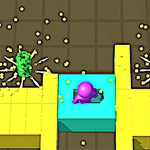
Color Blades drops you into a glossy 3D arena where your mouse is the only thing between a clean cut and a messy restart. You're steering a glowing blade that carves through floating shapes, but here's the twist: only the color you're currently locked onto counts. Hit a blue shard while you're red? That's a run ender. The game gives you a second to react when the color palette swaps, and that half-beat of panic is where the fun lives. I kept chasing my own high score for way longer than I planned because each attempt feels just a little more possible than the last.
The controls are deceptively simple—slide the mouse, and the blade follows with a satisfying lag that rewards smooth arcs over frantic jerks. You'll learn to read the arena in layers: safe zones, high-value clusters, and those tempting single pieces that are almost never worth the risk. One specific moment that got me hooked: I threaded a gap between two spinning red pillars while still locked on blue, sliced a trail of five, and the screen flashed with a combo multiplier that made my hands shake. That's the rush.
Visually, it's sleek without being noisy—neon edges, dark backgrounds, just enough particle pop to make every slice feel meaty. The 3D camera stays close enough that you always know where your blade is, but far enough that incoming shapes don't feel cheap. If you've got a mouse and ten minutes, this one's easy to pick up and surprisingly hard to put down.
👥How to Play Color Blades
MOUSE.
✨Game Tips
Keep your mouse movements wide and smooth; sharp flicks overshoot and clip the wrong color.
Memorize the palette order for each level—when you know what's next, you can pre-position before the swap.
Don't tunnel vision on the big clusters. Clearing small safe pieces builds your blade speed faster early on.
Pause for a split second when the color switches. The arena actually gives you a tiny window to adjust.
Use the edges of the screen to loop around; sometimes the safest path is the long way around a dense block.
If you're on a high multiplier, skip risky cuts and just survive—the score bonus often outweighs another shard.
🔧FAQ
Q: Is Color Blades free to play?
A: Yes, it's completely free in your browser—no hidden paywalls or subscriptions.
Q: Can I play Color Blades on mobile?
A: The game is designed for mouse controls, so desktop is recommended. Touch screens may not respond as well.
Q: Do I need to download anything?
A: No downloads or installs. Just open the page and start slicing.
Q: How do I change the blade's color?
A: The color changes automatically at set intervals during each run. You just need to adapt your target selection.
Q: What happens if I hit the wrong color?
A: Your run ends immediately and you'll restart from the beginning with a fresh score.
Q: Is there a multiplayer mode?
A: No, Color Blades is a solo high-score challenge focused on individual reflex and precision.