
Color Objects Halloween
Play Count0
Published2022-01-07
Supported DevicesPC
CategoryKids & Educational
Rating★★★★★5.0Rate this game
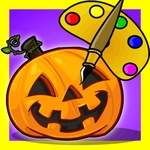
📝Color Objects Halloween Overview
Pick up a virtual crayon and turn black-and-white pumpkins, bats, and ghosts into a riot of Halloween color.
💬What is Color Objects Halloween?
I'll be honest: most coloring games for little kids are just click-to-fill paint buckets with zero soul. Color Objects Halloween keeps it simple but doesn't feel lazy. You get a handful of Halloween scenes — a grinning pumpkin, a cartoon bat, a sheet ghost with one eye slightly bigger than the other, that kind of thing. Each object sits there in dull gray line art until you start smearing color over it with the mouse. The brush has a nice chunky size, so even a five-year-old with shaky hands can stay inside the lines (mostly). My niece kept going back to recolor the witch's hat three times because she liked watching the purple layer over the orange.
The controls couldn't be easier: move the mouse, click or hold to paint, and if you mess up, there's an eraser right there. No timers, no score, no "you failed" nonsense. That's the point — it's a calm little activity for kids who just want to decorate spooky things without any pressure. The palette leans into classic Halloween hues: pumpkin orange, deep purple, slime green, candy corn yellow. You can mix them however you like, so a blue pumpkin isn't just allowed; it's kind of encouraged. I found myself absentmindedly coloring a bat pink just because the mood struck.
Where it really shines is as a mouse-skill builder for young kids. The act of moving the cursor to a small area and keeping it there while dragging teaches fine motor control without feeling like a lesson. It won't blow anyone's mind, and older kids will call it babyish, but that's fine. It knows exactly who it's for. Load it up on a laptop or desktop, hand it to a kid who needs ten quiet minutes, and let them turn a ghost green.
👥How to Play Color Objects Halloween
Use your mouse to draw, paint etc...
✨Game Tips
Let the kid go wild with weird color combos — there's no wrong answer and it keeps them engaged.
Use short, overlapping brush strokes instead of one long drag; it's easier to stay inside the lines.
The eraser is your friend. If a color goes outside a shape, just hold it and scrub the edge clean.
Try coloring the background last. It makes the main object pop and gives a cleaner finish.
Save a screenshot before erasing; kids love seeing their earlier versions compared to the final one.
🔧FAQ
Q: Is Color Objects Halloween free to play?
A: Yes, it's completely free in your browser with no hidden payments.
Q: Can I play Color Objects Halloween on a phone?
A: It works best with a mouse, but most touchscreens can tap and drag to color too.
Q: Do I need to download or install anything?
A: No download needed. It runs instantly on any modern browser with HTML5.
Q: What ages is this game good for?
A: It's aimed at toddlers and young kids, roughly ages 3 to 7, but anyone can relax with it.
Q: Does the game have a timer or scoring?
A: No timers, no scores, no pressure — just free coloring at your own pace.
Q: Can I change colors after I've already painted?
A: Yes, just pick a new color and paint over the old one, or use the eraser first.