
Color Screw 3D
Play Count0
Published2026-03-03
Supported DevicesPC + Mobile
CategoryAdventure & RPG
Rating★★★★★5.0Rate this game
📝Color Screw 3D Overview
Twist, rotate, and unscrew your way through dozens of colorful 3D puzzles that start simple but quickly test your patience and spatial sense.
💬What is Color Screw 3D?
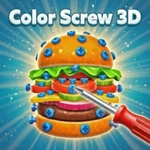
Color Screw 3D is the kind of puzzle that masquerades as a fidget toy and then quietly turns into an obsession. You've got a 3D object studded with colored screws, and your job is to unscrew each one and drop it into the matching colored box. On paper, it's the easiest thing in the world. In practice, you'll be rotating that shape like a Rubik's cube trying to figure out which screw actually moves first.
The real trick is that screws aren't independent. Some are locked behind other pieces, some only become accessible once you clear a path, and the order you choose can make or break a level. I got stuck on one level with a blue screw hidden under a wooden plate; I kept trying to pull the red one first and the whole thing jammed. Then I realized the red screw was holding the plate down, and once I removed that, the blue one slid free. That moment of 'oh, duh' is exactly why I kept going.
Controls are simple: on PC, hold right mouse button and drag to rotate, click a bolt to unscrew it. On mobile, swipe to spin and tap. The 3D rendering is smooth, and the satisfying click when a screw pops out is weirdly relaxing. No download, no signup, just open the browser and play. It's a perfect little brain break, but don't blame me if you look up and an hour has vanished.
👥How to Play Color Screw 3D
How to Play:
• On PC: Hold Right Mouse Button and drag to rotate the object. Click on a bolt to unscrew it.
• On Mobile: Swipe to rotate the object 360°. Tap on a bolt to unscrew it.
✨Game Tips
Rotate the object fully before making any move; hidden screws often sit on the back or underside.
Match screws to their colored boxes as soon as you unscrew them to avoid running out of space.
Don't just click the first screw you see — check what it's holding, because some screws release other pieces.
If you get stuck, try unscrewing a different color first; almost every level has an intended order.
Take your time; there's no timer, so slow rotations help you spot partially hidden bolts.
🔧FAQ
Q: Is Color Screw 3D free to play?
A: Yes, it's completely free in your browser. No coins, paywalls, or forced ads before levels.
Q: Can I play Color Screw 3D on my phone?
A: Absolutely. The touch controls let you swipe to rotate and tap to unscrew, and they feel just as precise as a mouse.
Q: Do I need to download anything to play Color Screw 3D?
A: No download required. It runs on HTML5, so just open the game page in any modern browser and start playing.
Q: Is Color Screw 3D unblocked on school or work networks?
A: Yes, this unblocked version is designed to run on restricted networks without extra setup.
Q: What are the controls for Color Screw 3D on PC?
A: Hold the right mouse button and drag to rotate the 3D object, then click any screw to unscrew it.
Q: What if I get stuck on a level in Color Screw 3D?
A: Try rotating the object fully and unscrewing a different color first. Most levels have a specific order that unlocks the rest.