
Command Strike FPS Offline
Play Count0
Published2024-07-10
Supported DevicesPC + Mobile
CategoryAdventure & RPG
Rating★★★★★5.0Rate this game
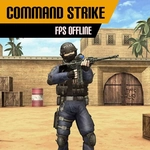
📝Command Strike FPS Offline Overview
You’re dropped into a hostile map with nothing but a rifle, quick reflexes, and a magazine that runs dry faster than you’d like.
💬What is Command Strike FPS Offline?
I’ll be honest — most browser FPS games feel like mushy half-measures. Command Strike FPS Offline surprised me by actually punishing you for standing still. You spawn into a compact map, enemies pour in from doorways and side corridors, and the only way to survive is to keep moving while landing shots. Right-click to aim down sights; it tightens your spread but slows your walk, so you have to commit. I died a lot early on because I treated it like a point-and-click arcade game. Then I started sprinting with Ctrl between cover pieces, reloading only when I heard a lull in footsteps. That’s when it clicked.
What works here is the loop: clear a room, hear boots around the corner, peek quickly, back off, reload, push again. The maps aren’t huge, but they’re built with verticality and blind spots. One moment that stuck with me — I was down to my last few rounds, backed against a crate, and instead of retreating I jumped over the crate and hip-fired at the guy rushing me. It felt desperate and real. The offline part matters too: no waiting for lobbies, no lag, just you against the AI. If you’re after a quick FPS fix without downloads or accounts, this scratches that itch.
Don’t expect a story or unlockable guns. It’s arcadey, raw, and focused. That’s fine by me. You get WASD movement, a jump, a sprint, and a reload key. The challenge comes from enemy positioning and your ammo discipline. I found myself replaying maps to beat my own clear count. If you like first-person shooters but want something that loads instantly and runs in a tab, give it a shot.
👥How to Play Command Strike FPS Offline
Instructions:
You must join the various game maps and finish each level while staying on the move and shooting all enemies before they kill you.
Controls:
Left click to shoot
Right click to aim
WASD to move
Ctrl to Run
Spacebar to Jump
R Recharge
✨Game Tips
Tap the right mouse button to aim down sights before every engagement — hip-fire sprays too much at mid range.
Reload behind cover, never in the open; the R key animation leaves you completely vulnerable.
Use Ctrl to sprint between safe spots, but stop sprinting before you turn corners or you’ll overshoot.
Keep at least one wall or crate near you at all times, because enemies love to flank from side doors.
Jumping over low obstacles can break enemy line of sight and buy you half a second to line up a shot.
Pull the trigger in short bursts rather than full-auto; your recoil climbs fast and wastes ammo.
🔧FAQ
Q: Is Command Strike FPS Offline free to play?
A: Yes, it’s completely free and runs right in your browser.
Q: Can I play Command Strike FPS Offline on mobile?
A: It’s designed for keyboard and mouse, so mobile play isn’t supported well.
Q: Do I need to download anything to play?
A: No download or installation needed — just open the page and start.
Q: Does Command Strike FPS Offline require internet?
A: The game runs offline after it loads, but you need a connection to open the page initially.
Q: Is there multiplayer or co-op in this game?
A: No, it’s a single-player offline experience against AI enemies only.
Q: What are the controls for Command Strike FPS Offline?
A: Use WASD to move, left click to shoot, right click to aim, Ctrl to run, Space to jump, and R to reload.