
Concept Car Stunt
Play Count0
Published2020-09-04
Supported DevicesPC
CategoryAdventure & RPG
Rating★★★★★5.0Rate this game
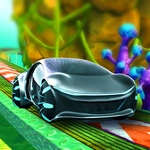
📝Concept Car Stunt Overview
You've got a nitro button, a handbrake, and a crazy stunt track built for prototypes—time to make physics cry.
💬What is Concept Car Stunt?
The first thing you notice is how the car's body actually rolls and pitches when you mash the throttle. Concept Car Stunt drops you behind the wheel of some wild experimental machines and throws a massive stunt playground at you. There's no lap counter breathing down your neck—just you, a handbrake, and the physics engine doing its best to obey gravity. Controls are simple: WASD or arrows to drive, Space for the handbrake, and F when you want to light the nitro. I spent my first five minutes just launching off the same ramp, trying to nail a clean barrel roll.
What kept me coming back is how different each car feels. Some grip like race machines, others slide around like they're on ice until you learn to feather the throttle. The nitro isn't infinite, so you have to pick your spots—burn it right before a jump and you'll catch serious air, but use it mid-corner and you'll understeer straight into a wall. The handbrake is your best friend for tight turns and quick direction changes, especially when you're trying to thread between obstacles.
The track design encourages messing around. There are ramps, gaps, and elevated sections that make every run feel like a stunt show. You can go for style points—flips, spins, near misses—or just see how far you can launch a concept car before it eats the pavement. It's not a sim, so don't expect realistic damage; instead, expect the kind of chaotic fun that makes you restart 'one more time' after every crash.
👥How to Play Concept Car Stunt
W, A, S, D or Arrow
F - Nitro
Space - Handbrake
✨Game Tips
Use nitro right at the ramp lip, not halfway up the incline, to get maximum height and rotation.
Tap the handbrake to flick the rear end around tight corners without losing all your speed.
Try a slow first run on any new track section to spot the ramps and gaps before going full send.
Don't hold nitro through corners—save it for straightaways and jump approaches.
Each car handles differently; pick a grippy one for technical routes or a slidey one for drift stunts.
If you're about to land sideways, release the gas and brake mid-air to straighten the car slightly.
🔧FAQ
Q: Is Concept Car Stunt free to play?
A: Yes, it runs free in your browser with no payment or account needed.
Q: Do I need to download anything to play Concept Car Stunt?
A: No downloads. It's HTML5, so you just open the page and start driving.
Q: Can I play Concept Car Stunt on mobile?
A: The game is desktop-focused and best with a keyboard. Touch controls may not be fully supported.
Q: What are the controls for Concept Car Stunt?
A: Use WASD or arrow keys to drive, Space for handbrake, and F to activate nitro.
Q: Does Concept Car Stunt have levels or goals?
A: It's free-roam stunt driving, so there's no campaign. Make your own challenges and lines.
Q: Is there a way to reset my car if I get stuck?
A: Most of the time a hard crash resets you back to the track. If not, a page refresh works.