
Connect The Dots for Kids
Play Count0
Published2022-06-09
Supported DevicesPC
CategoryKids & Educational
Rating★★★★★5.0Rate this game
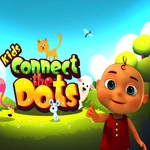
📝Connect The Dots for Kids Overview
Watch a jumble of numbered dots transform into a cheerful animal with every click—perfect for tiny hands learning to count.
💬What is Connect The Dots for Kids?
My niece grabbed the mouse before I could even explain the rules. She saw the numbered dots, clicked 1, then 2, and within seconds a line was drawing itself across the screen like magic. That's the whole hook of Connect The Dots for Kids—no timer, no fail state, just pure number ordering that ends in a picture.
Each level starts as a blank field with numbered dots scattered around. You click them in sequence, and a colored line snaps between each point. The real delight hits when you reach the final number and the outline fills in to show a smiling cat, a rocket, or a dinosaur. I kept thinking it'd get repetitive, but my niece asked for 'the frog one' three times in a row. The numbers go up to maybe 20 or 30, so it's not overwhelming, and the clicks are forgiving—no penalty for misclicks, just a gentle nudge.
Controls are just mouse: point, click, repeat. It works perfectly on a touchscreen too, which makes it great for tablets in the backseat. If you're looking for a quiet five minutes or a way to sneak number practice into a preschooler's screen time, this one does the job without any ads or gimmicks getting in the way. It won't challenge an adult, but that's not the point. It's a cozy little learning tool that feels more like play than work.
👥How to Play Connect The Dots for Kids
Use mouse to play
✨Game Tips
- Misclicks don't break anything, so let little ones click freely.
- Say each number aloud as the line connects to reinforce counting.
- A touchscreen or stylus often works better than a mouse for small hands.
- If a picture won't appear, scan for a skipped number before restarting.
- Stick with puzzles under 15 dots for the first few sessions.
🔧FAQ
Q: Is Connect The Dots for Kids free?
A: Yes, it's free to play in your browser.
Q: Can I play Connect The Dots for Kids on mobile?
A: Yes, it works on most phones and tablets with touch controls.
Q: Do I need to download anything?
A: No download needed—just open the page and play.
Q: What age is this game best for?
A: It's designed for ages 3 to 6 who are learning numbers.
Q: Does the game have ads?
A: This version is ad-free, so nothing interrupts the puzzles.
Q: Can I play offline?
A: You need an internet connection to load it, but then it runs smoothly.