
Crash Landing 3D
Play Count0
Published2020-04-13
Supported DevicesPC + Mobile
CategoryAdventure & RPG
Rating★★★★★5.0Rate this game
📝Crash Landing 3D Overview
Throttle up, wrestle the stick, and hope your landing gear survives the drop in this white-knuckle 3D flight challenge.
💬What is Crash Landing 3D?
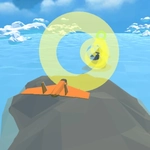
I've wrecked more pretend airplanes in Crash Landing 3D than I want to admit, and I still go back for one more run. You're handed a rickety plane and tasked with getting it safely onto a runway that sometimes feels like it's a mile too short. The first pull of the throttle is optimistic; the next ten seconds are pure prayer. What makes it work is the 3D physics—your plane actually reacts to momentum, lift, and drag. Pull up too hard and you stall. Nose down too steep and you're a lawn dart. The terrain changes with each attempt, so you never quite settle into autopilot.
The core loop is deceptively simple: throttle, pitch, and pray you don't clip a tree on final approach. But there's a real skill to reading your shadow on the ground, judging when to cut power, and committing to your angle instead of panic-pulling at the last second. I've had landings where I breathed out only after the wheels touched, and others where the wing ripped off a rooftop and I laughed as the debris cartwheeled into a field. Losing isn't really losing—it's half the entertainment.
That's the thing about Crash Landing 3D: it's not a simulation, it's a comedy of errors with just enough control to make you feel responsible for every disaster. Some levels add mid-air obstacles or checkpoint rings before the strip, which forces you to think about your line while also bleeding altitude. If you're the type who raged at Flappy Bird but appreciates a good crash animation, this one's built for you.
👥How to Play Crash Landing 3D
Click / Space / W / Up Arrow to fly
✨Game Tips
Keep your nose slightly up on approach—leveling out too early bleeds speed and drops you short.
Tap Space or W instead of holding; short bursts give finer throttle control near the ground.
Watch your plane's shadow on the runway to judge lateral alignment before touchdown.
Don't panic-pull at the last second—commit to your angle and adjust in small increments.
If you're overshooting, cut throttle and dive a bit to bleed altitude fast without stalling.
Embrace the first few crashes as physics lessons; they teach you the stall and overshoot limits.
🔧FAQ
Q: Is Crash Landing 3D free to play?
A: Yes, it's completely free in your browser with no paywalls or hidden charges.
Q: Can I play Crash Landing 3D on mobile?
A: It works on most mobile browsers, but keyboard controls feel much better on a desktop.
Q: Do I need to download anything?
A: No downloads needed—just open the page, click, and start flying.
Q: What are the controls?
A: Use Click, Space, W, or Up Arrow to fly/accelerate. Mouse or touch also helps with steering.
Q: Is Crash Landing 3D multiplayer?
A: No, it's a solo experience focused on mastering landings and avoiding crashes.
Q: Does the game have different levels?
A: Yes, you'll face varied terrains and weather conditions that change the landing difficulty.