
Crash Landing 3D - Airplane Game
Play Count0
Published2022-06-15
Supported DevicesPC + Mobile
CategoryAdventure & RPG
Rating★★★★★5.0Rate this game
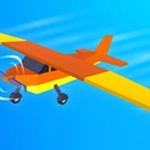
📝Crash Landing 3D - Airplane Game Overview
Can you nurse a failing airliner onto the tarmac without turning it into a fireball? Every second your altitude bleeds away and the runway isn't getting any closer.
💬What is Crash Landing 3D - Airplane Game?
You're in the left seat of an aircraft that's already halfway to being scrap metal. The engines sputter, warning lights flash across the panel, and the ground keeps rising to meet you. Crash Landing 3D doesn't hand you a healthy plane and ask you to park it — it hands you a crippled one and dares you to survive the descent. The controls are dead simple: tap or click to adjust pitch, hold to flare, and pray you read the wind right. But simple controls hide a nasty learning curve. I lost my first five attempts because I kept overcorrecting on final approach, slamming the nose down when I should have let the plane settle.
What got me hooked was the moment I finally greased a landing with one engine out and the wingtip scraping the runway edge. The screen shakes, sparks fly off the wing, and you hear that horrible grinding noise — but the plane stays on the centerline and rolls to a stop. That's the whole loop: survive, improve, maybe unlock a slightly less broken aircraft. The 3D view gives you a real sense of speed and altitude, especially when you bank too hard and watch the horizon tilt. It's not a detailed flight sim, but it does capture the sweaty-palm feeling of an emergency landing better than most games with twice the complexity.
There's not much hand-holding here. You'll learn by crashing, and that's fine. The game resets fast, so the loop stays tight. If you want a chill flying game, this isn't it. But if you like a challenge that punishes panic and rewards patience, Crash Landing 3D will keep you coming back for one more attempt — usually after muttering "I can do better than that."
👥How to Play Crash Landing 3D - Airplane Game
Tap or click.
✨Game Tips
Keep your descent rate under control — tap lightly instead of holding, or you'll bounce off the runway.
Watch the nose attitude on final approach; aim for the runway numbers, not the horizon.
Use the runway edge lights as a visual cue for your flare timing.
Don't fight a crosswind with big corrections; small, quick taps work better.
If your wing dips, let it settle naturally instead of yanking the stick back.
Crash early and often — each failure teaches you the plane's stall speed and sink rate.
🔧FAQ
Q: Is Crash Landing 3D - Airplane Game free to play?
A: Yes, it's completely free in your browser with no payment required.
Q: Can I play Crash Landing 3D - Airplane Game on mobile?
A: It works on most modern mobile browsers using touch controls.
Q: Do I need to download anything to play?
A: No download needed — it runs directly as an HTML5 game.
Q: What are the controls?
A: Tap or click to pitch the nose up, release to pitch down, and tap rapidly for a flare.
Q: Is Crash Landing 3D - Airplane Game unblocked at school?
A: Since it's browser-based, it often bypasses school filters, but blocking varies by network.
Q: Why do I keep crashing on landing?
A: You're likely descending too fast or flaring too late — try a gentler approach and start your flare earlier.