
Crazy City Driver
Play Count0
Published2023-06-13
Supported DevicesPC
CategoryAdventure & RPG
Rating★★★★★5.0Rate this game
📝Crazy City Driver Overview
Burn rubber through crowded streets, dodge traffic, and explore a sprawling 3D city at your own pace.
💬What is Crazy City Driver?
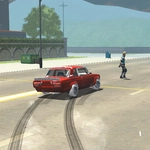
There's something weirdly relaxing about ignoring traffic lights and plowing through a fruit stand at 60 mph. Crazy City Driver drops you into a colorful, low-poly city with one goal: drive however you want. No missions, no timer, no cops (at least none that chase you). Just you, a surprisingly responsive car, and streets that beg to be explored.
I spent my first ten minutes just doing laps around the central roundabout, testing how far I could push the handbrake before spinning out. The Space bar isn't a full brake—it's more like a drift trigger. Tap it mid-turn and the rear end kicks out, letting you slide between a bus and a lamppost with inches to spare. Then I discovered the camera button (C). The third-person view is fine, but switching to the hood cam while weaving through traffic feels twice as fast and twice as reckless.
The city isn't huge, but it's packed with little surprises: ramps over dumpsters, alleys that cut behind buildings, and a few spots where you can get airborne. The lack of a damage model might bother sim fans, but for a browser game it's perfect. You'll probably come back for the same reason I did—to see if you can clear the entire ring road without touching the brake.
👥How to Play Crazy City Driver
WASD - Drive. Space - Brake. C - Change camera.
✨Game Tips
Tap Space early when approaching intersections; it doubles as a handbrake for sharp turns.
Cycle through cameras with C to find the view that makes judging gaps easiest.
Speed isn't always your friend — coast around corners to avoid spinning out.
Look for wide sidewalks and alley shortcuts; they often bypass traffic jams.
If you get stuck on geometry, reverse (S) while wiggling left and right.
🔧FAQ
Q: Is Crazy City Driver free to play?
A: Yes, it's completely free in your browser with no hidden fees.
Q: Can I play Crazy City Driver on mobile?
A: The desktop version uses keyboard controls, but some mobile browsers support on-screen buttons.
Q: Do I need to download anything to play?
A: No downloads required. Just open the page and the HTML5 game loads instantly.
Q: What are the controls for Crazy City Driver?
A: Use WASD to drive, Space for the handbrake/brake, and C to switch camera angles.
Q: Does Crazy City Driver save my progress?
A: It's a sandbox driving game, so there's no story progression to save. Each session starts fresh.
Q: Why does the game lag on my computer?
A: Lower the browser zoom or close other tabs. The 3D city can be demanding on older hardware.