
Crazy Gravity
Play Count0
Published2020-10-26
Supported DevicesPC
CategoryAdventure & RPG
Rating★★★★★5.0Rate this game
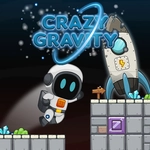
📝Crazy Gravity Overview
Flip the world upside down and walk on the ceiling in this brain-tickling platformer where one wrong step sends you floating into spikes.
💬What is Crazy Gravity?
Crazy Gravity lives up to its name the second you realize the floor is optional. You control a small explorer through a maze of floating platforms, and with a single click or tap you invert gravity, slamming your feet onto whatever surface is now below. That mechanic sounds simple, but after my third death to a ceiling spike I'd forgotten existed, I learned to check both orientations before moving. The game never punishes you with a long restart; you respawn close to where you failed, which keeps the frustration at a low simmer instead of a full boil.
The levels start gentle, teaching you to cross gaps by switching gravity mid-air, then gradually introduce moving hazards, vanishing blocks, and those infuriating one-tile safe zones. I kept getting stuck on a section where the exit was literally above my head — I'd been trying to jump across a bottomless pit for ten minutes before I remembered the ceiling was an option. That 'aha' is exactly why Crazy Gravity works. On mobile, the touch buttons are responsive enough, though I found a mouse easier for precise flips.
It's not a sprawling epic, but as a quick browser puzzle platformer, it scratches an itch. The low-fi visuals and ambient music keep things calm, which is good because your brain will be doing gymnastics. If you enjoy games like VVVVVV or any gravity-flip platformer, this one's a worthy snack.
👥How to Play Crazy Gravity
Use mouse on desktop or touch buttons on your mobile device.
✨Game Tips
Tap the gravity flip button right before you hit an edge — timing is tighter than it looks.
Walk along the ceiling to scout spikes before committing to a jump.
On mobile, use two thumbs: one for moving, one for gravity, or you'll fumble when it counts.
Some gaps look impossible until you realize you can flip twice in mid-air.
Replay early levels after you master the mechanic; hidden collectibles make more sense then.
🔧FAQ
Q: Is Crazy Gravity free to play?
A: Yes, it runs directly in your browser and costs nothing.
Q: Do I need to download Crazy Gravity?
A: No download required. Just open the page and start playing.
Q: Can I play Crazy Gravity on my phone?
A: Yes, touch buttons appear on mobile devices.
Q: What are the controls for Crazy Gravity?
A: Move with on-screen keys or mouse, and tap/click to switch gravity.
Q: Does Crazy Gravity work without an internet connection?
A: You'll need an internet connection to load it, but no install is needed.
Q: Is Crazy Gravity suitable for kids?
A: It's non-violent puzzle platforming, so yes, it's family-friendly.