
Crazy robot
Play Count0
Published2022-11-24
Supported DevicesPC + Mobile
CategoryAdventure & RPG
Rating★★★★★5.0Rate this game
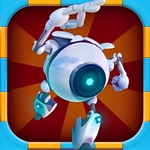
📝Crazy robot Overview
Click, jump, dodge — guide a twitchy little robot through a brutal 3D obstacle course that punishes every hesitation.
💬What is Crazy robot?
Crazy Robot is one of those games that looks harmless for exactly three seconds, then suddenly you're tapping the screen like a man possessed. You control a small, twitchy robot as it auto-runs through a series of 3D platforms, and every click makes it jump or change direction. The catch? The obstacles come fast, the gaps are wide, and the robot's hitbox feels just a little bit meaner than it looks. I lost track of how many times I clipped a spinning blade by a single pixel.
The difficulty curve is steep but fair in that 'one more try' way. Timing is everything: click early and you'll smack into a wall; click late and you'll plummet off the edge. The robot's animations are goofy enough to take the sting out of a restart, and there's no penalty for dying beyond your own shattered pride. I kept muttering 'that was my fault' after every crash, which is the sign of a decent challenge.
Visually, it's a clean low-poly 3D world with bright colors and a surprisingly decent sense of speed. There's no story, no upgrades, no nonsense — just you, a robot, and a line of moving platforms that want you dead. If you have five minutes or five hours, it eats time like nobody's business.
👥How to Play Crazy robot
Click the screen to control the robot to play,
✨Game Tips
Click right before the robot reaches the edge — jumping too early kills momentum.
Watch the shadow underneath the robot to judge landing spots precisely.
Don't hold click; quick taps give shorter, safer jumps in tight corridors.
On rotating platforms, jump toward the center of the next tile, not the edge.
Sound on helps you hear timing cues for moving obstacles.
If you're about to fall, clicking again mid-air sometimes triggers a double jump.
🔧FAQ
Q: Is Crazy robot free?
A: Yes, it's completely free to play in your browser.
Q: Do I need to download Crazy robot?
A: No downloads — it runs directly on the web page.
Q: Can I play Crazy robot on mobile?
A: Yes, the touch controls work great on phones and tablets.
Q: What are the controls for Crazy robot?
A: Just click or tap anywhere on the screen to make the robot jump.
Q: Does Crazy robot work on school computers?
A: It should, since it's a browser game with no install required.
Q: How do I restart after dying in Crazy robot?
A: The game auto-restarts instantly, or you can refresh the page.