
Crazy Traffic Racer
Play Count0
Published2023-11-07
Supported DevicesPC + Mobile
CategoryAdventure & RPG
Rating★★★★★5.0Rate this game
📝Crazy Traffic Racer Overview
Weave through relentless highway traffic at full throttle and see how far you can go before the inevitable crash.
💬What is Crazy Traffic Racer?
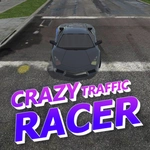
Most traffic dodgers ease you in with a gentle stream of cars. Crazy Traffic Racer throws you into rush hour on day one and dares you to keep up. You're behind the wheel of a low-poly sports car, lanes blurring as you hit the accelerator, and every near miss feels like a knife's edge. The first time I threaded between a bus and a semi at full speed, my palms actually sweated. Then a compact car cut me off and the screen flashed red. That's the loop: drive fast, dodge, crash, restart, and swear you'll do better.
The controls couldn't be simpler—W or up arrow to gas, A/D or arrow keys to steer, S or down arrow to brake. On a touchscreen you get left and right buttons plus a brake. But simplicity hides depth. Traffic doesn't spawn randomly; it comes in waves and patterns that repeat just enough to learn but not enough to memorize. You'll start recognizing when that red sedan is about to drift into your lane. The 3D graphics are clean and bright, with enough speed lines and motion blur to sell the sensation of velocity without making you nauseous. There's no story, no upgrades, no gimmicks. Just you, the highway, and a high score that mocks you from the corner of the screen.
I kept coming back between classes because each run takes under a minute, but the urge to beat my last distance is relentless. The difficulty ramps up as you go—more cars, tighter gaps, faster speed—so even if you survive the first thirty seconds, the next thirty will test your nerve. It's the kind of game that turns a five-minute break into twenty attempts. If you've got quick reflexes and don't mind a little adrenaline, this one's a perfect unblocked time-killer.
👥How to Play Crazy Traffic Racer
Controls Desktop:
W or up arrow key - accelerate
A or left arrow key - turn left
D or right arrow key - turn right
S or down arrow key - brake
Controls Mobile, Tablet:
Left button - turn left
Right button - turn right
Two buttons - brake
✨Game Tips
Brake before you think you need to; by the time a car swerves into your path, it's usually too late.
Glance two or three cars ahead, not at the bumper in front of you—your peripheral vision will handle the close stuff.
On straight stretches, drift to the shoulder to bypass slow clusters, but don't hug the guardrail for long.
Speed earns more points per second, so resist the urge to drive cautiously after a good start.
Mobile players should use both thumbs: one to steer, one to tap brake, so you never have to look down.
After each crash, note which lane pattern killed you and anticipate it on the next run.
🔧FAQ
Q: Is Crazy Traffic Racer free to play?
A: Yes, the game is completely free and runs directly in your browser with no paywalls or ads blocking the action.
Q: Can I play Crazy Traffic Racer on my phone or tablet?
A: Absolutely. The game works on mobile browsers and includes touch buttons for steering and braking.
Q: Do I need to download anything to start playing?
A: No downloads needed. Just open the game page and it loads instantly as an HTML5 title.
Q: What are the keyboard controls for Crazy Traffic Racer?
A: Use W or up arrow to accelerate, A/D or left/right arrows to steer, and S or down arrow to brake.
Q: Is Crazy Traffic Racer unblocked at school or work?
A: Yes, this unblocked version is designed to run on networks that block gaming sites, so you can play freely.
Q: Can I save my high score in Crazy Traffic Racer?
A: Your best distance is saved locally in your browser, so closing the tab won't erase your record.