
Critical Strike Global Ops
Play Count0
Published2020-07-07
Supported DevicesPC
CategoryAdventure & RPG
Rating★★★★★5.0Rate this game
📝Critical Strike Global Ops Overview
Lock and load for tight corner battles where every millisecond of aim decides whether you drop or dominate the leaderboard.
💬What is Critical Strike Global Ops?
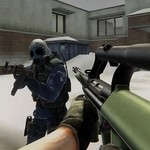
I'll be honest, I went into Critical Strike Global Ops expecting another generic browser FPS. Then I found myself crouch-walking through a shipping yard, hearing footsteps clank on metal somewhere to my left, and realizing the enemy team had flanked us through the exact route I'd discounted thirty seconds earlier. That moment sold me. The game runs surprisingly tight for a web shooter, with WASD movement and mouse aim that feel responsive enough to pull off snap headshots, though you'll still curse the occasional janky hitbox.
The loop is simple: pick a loadout, drop into a compact map with your team, and scramble to control angles before the other side does. B opens the buy menu mid-round, R reloads, and the rest is raw gunfight instinct. Assault rifles shred at mid range, SMGs reward aggressive pushes, and holding a corner with a sniper scope feels legitimately tense. One match I spent a full thirty seconds tracking a shadow through a window gap, only to whiff my shot and get traded by a pistol peek. The game doesn't hand you wins.
What keeps me coming back is the pace. Rounds are quick, respawns are forgiving, and the kills feed scratches that competitive itch without a download. It's not going to dethrone Counter-Strike or Valorant, but for a free unblocked game in a browser tab, it overdelivers. The weapon variety is decent, the maps are just complex enough to reward map knowledge, and the sound design actually helps you locate enemies. If you're stuck on a school or office network and need an FPS fix, this scratches it.
👥How to Play Critical Strike Global Ops
WASD - Move. Mouse - Shoot. R - Reload. B - Buy weapons.
✨Game Tips
Learn the buy menu hotkeys so you can grab armor and a rifle without freezing in spawn.
Pre-aim head height when rounding corners, especially on maps with long sightlines.
Don't reload after every kill; that click sound tells enemies exactly where you are.
Use B to buy between rounds but do it fast—standing in the menu is a death sentence.
Play a few rounds with only pistols to improve trigger discipline and strafing.
Watch the kill feed to know which weapons your enemies favor, then counter-buy.
🔧FAQ
Q: Is Critical Strike Global Ops free?
A: Yes, it's completely free to play in your browser with no hidden charges.
Q: Can I play Critical Strike Global Ops on mobile?
A: The game is designed for keyboard and mouse. Touchscreen controls are not supported.
Q: Do I need to download or install anything?
A: No download needed. Just open the page and it runs instantly in your browser.
Q: What are the default controls?
A: WASD moves, mouse aims and shoots, R reloads, and B opens the buy menu.
Q: Does Critical Strike Global Ops have multiplayer?
A: Yes, you play against other online players in team-based matches.
Q: Why does the game sometimes feel laggy?
A: It depends on your internet connection and browser. Close other tabs to improve performance.