
Cube Flip
Play Count0
Published2020-12-07
Supported DevicesPC
CategoryAdventure & RPG
Rating★★★★★5.0Rate this game
📝Cube Flip Overview
One wrong flip sends your cube tumbling into spikes — can you collect every tile and escape each level alive?
💬What is Cube Flip?
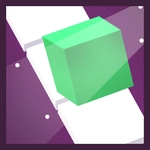
You're a cube with a serious case of wanderlust. Each level drops you onto a suspended grid of blocks, and your job is to flip end-over-end to touch every colored square. Sounds easy until the floor is a checkerboard of death. I've lost count of how many times I rolled one tile too far and heard that hollow thunk as my cube dropped into the void. But when you finally chain together a clean sequence — grabbing three blue tiles, reversing direction on a one-tile-wide bridge, and landing perfectly on the exit — it feels earned.
The core trick is understanding how the cube moves. It doesn't slide; it pivots on its edge, so one key press rolls you a full block length. On narrow paths, that means every input has weight. You can't half-step or edge forward. If you misjudge, you're either stuck against a wall or skewered on a spike. There's no timer, so you can plot your route, but some levels are brutal little spatial puzzles where the order you collect tiles matters because the exit stays locked until every colored tile is claimed. If you wedge yourself into a corner, R resets the whole level fast, no menu hassle.
What kept me coming back was the quiet satisfaction of solving a layout by thinking in flips, not pixels. It's not flashy — just a clean, low-poly 3D puzzle with crisp movement. The spikes look nasty up close, and the falling animation is abrupt enough to make you flinch. It's the sort of game you can play for five minutes or lose an hour to, though later levels will test your spatial memory hard.
👥How to Play Cube Flip
Use WASD or the arrow keys to control your cube. If you get stuck, press R to restart the level. Collect all of the colored square tiles to unlock the gray exit tile. Watch out for spikes, and make sure you don't get stuck!
✨Game Tips
Treat every move as a full cube-length roll — there's no inching forward.
Clear the colored tiles around the edges first, then work inward so you don't trap yourself.
If the exit is gray, you've missed a tile; backtrack instead of bashing your cube against it.
Use R the instant you suspect a dead end — resetting is faster than struggling.
Watch for spike placement before you commit to a long straight roll.
On narrow bridges, stop after each flip to re-check your alignment.
🔧FAQ
Q: Is Cube Flip free to play?
A: Yes, Cube Flip is completely free to play in your browser with no hidden payments.
Q: Can I play Cube Flip on my phone?
A: The game uses keyboard controls, so it's best on desktop. Mobile touch support may be limited.
Q: Do I need to download or install anything?
A: No download needed. Cube Flip runs directly in a modern web browser as an HTML5 game.
Q: What are the controls for Cube Flip?
A: Use WASD or arrow keys to roll the cube. Press R to restart the current level.
Q: Why is the exit tile still gray?
A: The gray exit only unlocks after you collect every colored square tile on the level.
Q: What should I do if my cube gets stuck?
A: Press R to instantly restart the level. There's no penalty for resetting, so use it early.