
Cube Ninja
Play Count0
Published2022-05-03
Supported DevicesPC + Mobile
CategoryAdventure & RPG
Rating★★★★★5.0Rate this game
📝Cube Ninja Overview
Channel your inner shadow warrior and slice every cube the game throws at you — one missed swipe ends the run.
💬What is Cube Ninja?
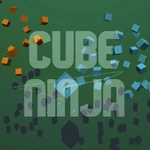
Cube Ninja is one of those games that feels stupidly simple until you're three minutes in and your hand is cramping. You're a shadowy figure in a dark 3D space, cubes drift toward you from all directions, and your only job is to swipe through them before they pass. The first few slices feel great—each cube splits into glowing fragments with a soft shatter that's weirdly satisfying. But then the game starts mixing in cubes you absolutely should not touch. I won't spoil exactly what they look like, but the moment you get greedy and try to hit everything at once is the moment the run ends.
The 3D presentation is what sets it apart from a hundred other slice games. Cubes tumble and rotate as they approach, so you have to judge depth and timing, not just direction. Some come straight at you, others arc in from the sides. On a touchscreen it's natural; on a desktop with a mouse it takes a bit more effort because you're dragging instead of flicking. Either way, the learning curve feels fair—you'll blame yourself, not the controls. I kept chasing my own high score for far longer than I'd like to admit, and that's the mark of a decent arcade reflex game.
It won't blow your mind with story or content, but as a quick hit of concentration between classes or during a slow afternoon, Cube Ninja does exactly what it should. No menus to wrestle with, no load times, no nonsense. Just you, a blade, and a never-ending stream of cubes that need slicing.
👥How to Play Cube Ninja
Swipe to slice
✨Game Tips
Keep an eye on the cube's rotation before you commit—hit the flat face, not the corner.
Don't chase every cube. Let the far ones go if a risky swipe means touching a hazard.
On touchscreens, short flicking motions work better than long drags for accuracy.
If you're on desktop, use a mouse with high DPI and swipe in straight lines, not curves.
Learn which cubes to avoid by their markings—usually anything that isn't a plain cube is bad news.
🔧FAQ
Q: Is Cube Ninja free to play?
A: Yes, the game is completely free in your browser with no hidden payments.
Q: Can I play Cube Ninja on my phone?
A: Yes, the swipe controls work great on touchscreens, and it also runs on desktop browsers.
Q: Do I need to download anything?
A: No downloads or plugins required—just open the page and start slicing.
Q: What's the goal in Cube Ninja?
A: Slice as many cubes as you can without hitting dangerous cubes, aiming for a high score.
Q: Is there a multiplayer mode?
A: No, Cube Ninja is a single-player arcade score chase.
Q: Why does my swipe sometimes not register?
A: Make sure your swipe is fast and crosses the cube's center; slow drags can miss.