
Cube Play
Play Count0
Published2025-12-16
Supported DevicesPC + Mobile
CategoryAdventure & RPG
Rating★★★★★5.0Rate this game
📝Cube Play Overview
Guide a stubborn little cube through floating platforms and sudden drop-offs, then curse when the camera swings just as you jump.
💬What is Cube Play?
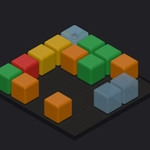
You wouldn't think a cube has personality, but five minutes with this one and you'll be yelling at it like a teammate. Cube Play drops you into a clean 3D obstacle course where the only goal is to keep moving without falling into the void. On-screen arrow keys handle movement and jumping, and the camera follows behind at an angle that's just tricky enough to make you doubt every step.
The levels are built from simple geometric platforms, ramps, and moving blocks. Some sections require precise timing; others punish you for rushing. I kept coming back to the same stretch where a narrow bridge sits over a sparkling pit — the first time I tried to sprint across, I overcorrected and watched my cube tumble into nothing. The respawn is quick, but the sting is real. You'll start watching your shadow to judge exactly where your cube will land, which feels like a proper skill.
It's not a long game and it doesn't pretend to be. No story, no upgrades, no nonsense. Just a cube, a course, and enough tricky jumps to fill a lunch break. If you like 3D platformers stripped to the bones, Cube Play scratches that itch without asking for a single download.
👥How to Play Cube Play
Use the arrow keys on screen
✨Game Tips
Line up your shadow with the platform before every jump.
Tap the arrow keys lightly for small adjustments — holding them too long sends you skidding off edges.
Moving platforms are easier if you match their rhythm instead of rushing.
Some ramps can be climbed without jumping; use them to recover lost ground.
Don't watch the cube while jumping — focus on the landing spot.
If a jump feels impossible, try approaching from a slightly different angle.
🔧FAQ
Q: Is Cube Play free to play?
A: Yes, the game is completely free with no paywalls or hidden fees.
Q: Can I play Cube Play on mobile?
A: Yes, the on-screen arrow keys are designed for touchscreens and work fine on phones.
Q: Do I need to download anything?
A: No downloads or installs required — it runs in your browser.
Q: Does Cube Play work on a school Chromebook?
A: Yes, it's lightweight and runs on most devices with a modern browser.
Q: What are the controls?
A: Use the on-screen arrow keys to move and jump your cube.
Q: Is Cube Play suitable for younger players?
A: Yes, there's no violence or mature content, just platforming challenges.