
Cute Dinosaur Jigsaw
Play Count0
Published2020-04-27
Supported DevicesPC + Mobile
CategoryAdventure & RPG
Rating★★★★★5.0Rate this game
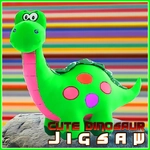
📝Cute Dinosaur Jigsaw Overview
Slide each pastel beast into place and watch the dino grin come together piece by piece.
💬What is Cute Dinosaur Jigsaw?
Cute Dinosaur Jigsaw drops you into a small gallery of hand-drawn dinosaur scenes, from a smiling triceratops munching leaves to a baby T-rex wearing a party hat. You pick one, choose how many pieces you want (16 is a warm-up, 64 gets properly fiddly), and then the real work begins. The pieces scatter along the bottom or side of the screen, already rotated in some versions, and you drag them onto a translucent board that shows exactly where each one belongs. It's the kind of game you open for two minutes and then realize twenty have passed.
What kept me playing wasn't just the adorable art, though that helps. It's the small hit of dopamine when a piece snaps into place with a click, especially after you've been hovering over the same spot trying to decide if that patch of purple is sky or a dino's back. The edge pieces go fastest, obviously, but the middle ones are where the real challenge hides—lots of similar greens and soft blues. There's no timer pressuring you (unless you want one on the harder modes), so it works as a calm brain break between classes or during a slow afternoon. The mouse controls are responsive, and you can nudge pieces around until they lock, which feels forgiving rather than frustrating.
If you've got younger siblings or just want something low-stakes, this is a solid pick. The dinosaur theme is broad enough that it never feels babyish, and the puzzle variety means you won't burn through all the images in one sitting. I only wish there were more backgrounds—maybe a volcano scene or a fossil dig. But for what it is, it's a tidy little unblocked jigsaw that does exactly what it promises.
👥How to Play Cute Dinosaur Jigsaw
Use mouse to play this game.
✨Game Tips
- Start with border pieces: corners and edges give you a frame to work inward.
- Peek at the reference image often; the pastel colors can blur together after a while.
- If a piece won't lock, try rotating it slightly or moving it away and back—some versions are picky.
- On higher piece counts, sort pieces by texture (spots, stripes, plain) before placing anything.
- Use the faint background as a cheat sheet; it shows silhouettes to match shapes.
🔧FAQ
Q: Is Cute Dinosaur Jigsaw free to play?
A: Yes, it's completely free in your browser with no hidden costs or paywalls.
Q: Do I need to download anything to play?
A: No downloads required. It runs instantly on any modern browser using HTML5.
Q: Can I play Cute Dinosaur Jigsaw on my phone?
A: Yes, it works on mobile browsers, though dragging pieces feels best with a mouse or touchscreen.
Q: Does this game work at school or on restricted networks?
A: It's designed as an unblocked game, so most school filters won't block it.
Q: How do I change the number of puzzle pieces?
A: Look for a difficulty or piece count option on the main menu before starting a puzzle.
Q: Is the game suitable for young children?
A: Absolutely—the images are non-violent and colorful, and the simplest mode is very easy.