
Cute World Craft
Play Count0
Published2023-03-03
Supported DevicesPC + Mobile
CategoryAdventure & RPG
Rating★★★★★5.0Rate this game
📝Cute World Craft Overview
Mine, stack, and reshape a cheerful block universe where every cube you place feels like a tiny architectural victory waiting to happen.
💬What is Cute World Craft?
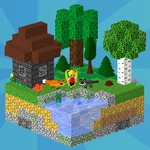
Forget complicated survival meters and hostile mobs—Cute World Craft is all about the pure joy of rearranging a colorful 3D grid into whatever pops into your head. You spawn into a bright, blocky landscape with a hotbar of basic tools, and from there the world is your sandbox. I spent my first ten minutes just flattening a hill because the digging sound effect is weirdly satisfying. Then I stacked pink blocks into a lopsided tower that would make any real architect weep, but I loved it.
Movement is simple: WASD or arrow keys to wander, spacebar to hop, and double-tap space to toggle creative flight. That flight mechanic changes everything. Instead of building scaffolds to reach high places, you just float up like a pixelated superhero and plop blocks mid-air. The left mouse button breaks blocks with a hold, and clicking places whatever you've selected. Press F to open your inventory and drag blocks or tools into your active bar—you'll want a mix of wood, stone, and maybe some glass for windows. E picks up dropped objects, which is handy when you accidentally knock a block loose and it bounces around like a lost Lego.
The charm here isn't depth or danger; it's the calm, low-pressure loop of collect, plan, and build. You won't find a boss fight or hunger bar. Instead, you get endless terrain, forgiving controls, and a color palette that looks like someone dipped a Minecraft clone in pastel paint. If you've ever wanted to build a tiny cottage without worrying about creepers blowing it up, this is your game. Just remember to use C to collect resources into your pouch—I forgot that button for a while and wondered why my inventory stayed empty.
👥How to Play Cute World Craft
WASD or Arrow Keys - to move; hold LMB to use tools; click LMB to place block; Spacebar - to jump, double spacebar to fly in Creative Mod;
E - to pick up / drop objects; F - open inventory; C - collect to poach.
✨Game Tips
Double-tap spacebar to toggle flight—it's the fastest way to reach high ledges or inspect your build from above.
Use E to pick up dropped blocks instead of breaking them again; saves tool durability and your patience.
Keep a stack of dirt or wood in your first hotbar slot for quick scaffolding while you plan bigger structures.
Press F before starting a large build to drag multiple block types into your quick bar, so you don't have to reopen the inventory constantly.
The C key collects resources into your pouch automatically—don't ignore it like I did or you'll be manually picking up every single block.
In creative mode, left-click hold breaks blocks fast, but a single click places them instantly—practice the rhythm so you don't accidentally demolish your own walls.
🔧FAQ
Q: Is Cute World Craft free to play?
A: Yes, it's completely free with no hidden paywalls. Just open the page and start building.
Q: Do I need to download anything to play Cute World Craft?
A: No downloads required. The game runs directly in your browser as long as you have an internet connection.
Q: Can I play Cute World Craft on mobile?
A: The game is designed for desktop browsers with keyboard and mouse controls. Mobile support is limited and not recommended.
Q: How do I fly in Cute World Craft?
A: Double-tap the spacebar while jumping. This only works in Creative Mode, not Survival Mode.
Q: Is there a survival mode with enemies?
A: Currently the game focuses on creative building. There are no hostile mobs or health meters to worry about.
Q: Will my progress save automatically?
A: Progress saves locally in your browser. Clearing cache or using a different browser may reset your world.