
Cutos Quest
Play Count0
Published2023-02-13
Supported DevicesPC + Mobile
CategoryAdventure & RPG
Rating★★★★★5.0Rate this game
📝Cutos Quest Overview
Guide a tiny hero through crumbling temples, chain double jumps, and sniff out hidden secrets in Cutos Quest.
💬What is Cutos Quest?
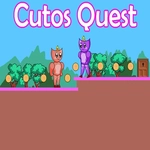
Cutos Quest drops you straight into a side-scrolling platformer that feels ripped from the glory days of 16-bit pixel adventures. The controls couldn't be simpler—WASD or arrows to move, double-tap jump for extra height—but don't let that fool you. This little hero has some serious hang time, and nailing the double jump timing is half the fun. I lost count of how many times I over-jumped a ledge and faceplanted into a pit because I got cocky with that second bounce.
The world is built from crumbling temple blocks, spiked pits, and sneaky enemy patterns that force you to slow down and read the room. Each screen is a mini puzzle of movement: do you double jump over that bat or wait for it to swing left? Collecting gems feels satisfying because they're often placed just out of reach, taunting you to attempt a risky leap. There's no tutorial holding your hand—you'll learn through trial and error, which gives the game a wonderfully old-school sting. One moment you're breezing through a corridor, the next you're cursing at a floating platform that moved one pixel too far.
What kept me coming back was the clean level design. No clutter, no gimmicks—just tight jumps, fair checkpoints (sort of), and that quiet thrill of clearing a tricky section without dying. The pixel art is charming without being saccharine, and the music loop is surprisingly catchy. If you've got fifteen minutes to kill, Cutos Quest is a perfect bite-sized platformer that respects your time but not your ego.
👥How to Play Cutos Quest
Use "WASD" or "Arrow" keys for the player's movement.
Use "W" or "Up" arrow key twice for double jump.
✨Game Tips
Master the double jump early. Tap jump twice quickly for height, but delay the second tap to extend your airtime over wide gaps.
Gems aren't always mandatory. If a jump feels suicidal, leave it—you can always circle back after you've learned the enemy patterns.
Watch enemy movement cycles before committing. Most baddies follow a set path, so count the beats and slip past when the opening appears.
Use the edge of ledges to your advantage. Your hitbox is forgiving near corners, so you can clip the last pixel and still land safely.
Don't rage quit on the pit rooms. Slow down, single jump first, then add the double only when you're sure of the landing spot.
🔧FAQ
Q: Is Cutos Quest free to play?
A: Yes, it's completely free in your browser. No paid unlocks or hidden fees—just load and play.
Q: Can I play Cutos Quest on my phone?
A: The game uses keyboard controls, so mobile play isn't supported well. Stick to a desktop or laptop with a physical keyboard.
Q: Do I need to download anything to start?
A: No downloads needed. It runs in any modern web browser using HTML5, so you can jump in instantly.
Q: How do I perform a double jump in Cutos Quest?
A: Press W or Up arrow twice quickly while moving. The second jump gives an extra boost upward—perfect for reaching high ledges.
Q: Does Cutos Quest have a save feature?
A: It's a short browser game, so progress isn't saved between sessions. Treat each run as a fresh attempt to beat your best time.
Q: What's the goal of Cutos Quest?
A: Guide the hero through each level, collect gems, avoid traps and enemies, and reach the exit portal at the end of every stage.