
Cutos Quest 2
Play Count0
Published2023-03-14
Supported DevicesPC + Mobile
CategoryAdventure & RPG
Rating★★★★★5.0Rate this game
📝Cutos Quest 2 Overview
Guide a tiny hero through a sprawling pixel world where every jump counts and hidden paths hide behind the most ordinary-looking walls.
💬What is Cutos Quest 2?
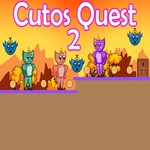
Cutos Quest 2 drops you into a side-scrolling adventure that feels like a love letter to classic platformers. You control a small, determined character navigating dangerous terrains, spike pits, and moving platforms. The controls are simple—WASD or arrows to move, and hitting W or Up twice launches you into a double jump—but the level design quickly asks for precision. I died a bunch on the same gap because I kept mistiming the second jump, and each retry felt fair, not frustrating.
What surprised me was how much exploration actually matters. You can rush toward the obvious exit, but then you miss secret alcoves and bonus collectibles tucked behind breakable blocks or above the screen's edge. One early area had a false wall that only revealed itself because I accidentally double-jumped into it while dodging a bat. That moment sold me on poking at everything. The game doesn't hold your hand; it rewards curiosity and patience.
Visually, it's charming without being saccharine—bright but not cluttered, with readable hazards and clear foreground-background separation. The music loops are short but don't grate, and the physics feel tight, especially the way the double jump gives you just enough height to reach tricky ledges. If you like platformers that respect your intelligence and punish lazy movement, this one's a solid pick.
👥How to Play Cutos Quest 2
Use "WASD" or "Arrow" keys for the player's movement.
Use "W" or "Up" arrow key twice for double jump.
✨Game Tips
Master the double jump: tap W or Up twice quickly, but wait until the peak of your first jump for maximum height.
Hug walls and jump into suspicious flat edges—many secrets are hidden behind invisible or false blocks.
Don't sprint through rooms; stopping to look up and around often reveals platforms just off-screen.
When you see a row of spikes, aim for the corner of the nearest safe tile rather than trying to clear the whole pattern.
Practice chaining double jumps off moving platforms; the timing window is tight but consistent.
Revisit earlier areas after you get comfortable with the physics—new paths open up once you know how to exploit the double jump.
🔧FAQ
Q: Is Cutos Quest 2 free to play?
A: Yes, it's completely free in your browser with no paywall or hidden fees.
Q: Can I play Cutos Quest 2 on my phone?
A: It works on mobile browsers, but the keyboard controls make desktop play smoother.
Q: Do I need to download anything to play Cutos Quest 2?
A: No downloads required—just open the game page and it starts instantly.
Q: Does Cutos Quest 2 support gamepads?
A: HTML5 version works best with keyboard; some browsers may allow controller mapping.
Q: Is there a save feature in Cutos Quest 2?
A: Progress usually resets when you close the tab unless the site uses cookies for saves.
Q: What are the controls for Cutos Quest 2?
A: Use WASD or arrow keys to move, and press W or Up twice quickly to double jump.