
Cyber Truck Drive Simulator
Play Count0
Published2019-12-05
Supported DevicesPC
CategoryAdventure & RPG
Rating★★★★★5.0Rate this game
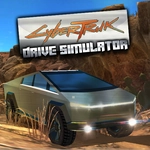
📝Cyber Truck Drive Simulator Overview
Strap into a stainless-steel cyber beast and see if you can keep it from spinning out on rain-slicked neon streets.
💬What is Cyber Truck Drive Simulator?
The first thing you notice is the sound—or lack of it. This truck doesn't rumble, it whirs. The digital dash throws cyan light across the cabin while you're already sliding through a corner that should've been tighter. The cyber truck drives exactly how it looks: boxy, heavy, and a little too confident in its own torque. You'll learn to respect the brakes because Space is your best friend when a concrete barrier appears out of nowhere.
W, A, S, D gets you moving, but I found the arrow keys slightly easier for fine adjustments, especially when you're trying to parallel park a vehicle shaped like a low-poly refrigerator. The C key is the real hidden gem—tapping it cycles through behind-the-truck, hood, and even a cinematic orbit view. I kept switching mid-drive just to watch the suspension squat when I brake hard.
There's no storyline, no missions, just you and an empty neon city full of wide roads and tight alleys. That's all it needs. It's a sandbox for testing how far you can push the brakes before the truck does a slow-motion pirouette. If you like simulators that let you set your own goals—'can I drift around this fountain without hitting a lamp post?'—you'll lose an hour here without noticing.
👥How to Play Cyber Truck Drive Simulator
W, A, S, D or arrow keys
You can brake with Space.
You can switch to different camera angles with the C key.
✨Game Tips
Tap Space early—the cyber truck's brakes need room to bite
Cycle through C camera views before you hit the road; third-person chase works best for judging corners
Feather the throttle instead of holding W, especially on wet or slippery surfaces
Use arrow keys if you need finer control, but W, A, S, D feels more natural for long drives
Don't ignore the side mirrors; the truck's boxy rear can clip obstacles
🔧FAQ
Q: Is Cyber Truck Drive Simulator free?
A: Yes, it's completely free to play in your browser.
Q: Can I play Cyber Truck Drive Simulator on mobile?
A: The game is designed for desktop keyboards, but some mobile browsers may work with touch controls.
Q: Do I need to download anything to play?
A: No downloads required—just open the page and start driving.
Q: What are the controls for Cyber Truck Drive Simulator?
A: Use W, A, S, D or arrow keys to drive, Space to brake, and C to switch camera angles.
Q: Does Cyber Truck Drive Simulator have multiplayer?
A: No, it's a single-player driving sandbox with no online multiplayer mode.
Q: Can I change the camera while driving?
A: Yes, press C to cycle through different camera views including chase, hood, and orbit.