
Do Not Fall: Final Countdown
Play Count0
Published2022-03-29
Supported DevicesPC + Mobile
CategoryAdventure & RPG
Rating★★★★★5.0Rate this game
📝Do Not Fall: Final Countdown Overview
One wrong move sends you plummeting into the abyss as the platforms dissolve under your feet—can you survive the final countdown?
💬What is Do Not Fall: Final Countdown?
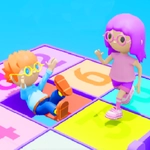
You know that moment when a platform game stops being about jumping and starts being about surviving? Do Not Fall: Final Countdown nails that feeling. The premise sounds simple—navigate a series of floating platforms in a 3D space—but the catch is brutal: every tile you touch starts a timer before it crumbles away. Stand still for even a second too long and you'll be doing an unplanned skydive into the void. I've lost count of how many times I thought I had a safe route, only to watch the floor turn into a deadly game of musical chairs.
The controls are as basic as it gets: keyboard arrows or mouse to move. But don't mistake simple controls for easy gameplay. The real challenge is reading the environment quickly. Some platforms have longer timers than others, and you'll need to memorize which ones are safe to stall on. There's a rhythm to it—tap forward, pause, sidestep, accelerate—and when you find it, the game feels almost meditative. Then you miss a jump by half a tile and the screen shakes as you fall. That sting never really goes away.
What keeps me coming back is the 'one more try' factor. Each run takes only a minute or two, so failing doesn't feel like wasted time—it feels like a lesson. The 3D perspective adds an extra layer of spatial awareness that 2D platformers don't have; you'll find yourself craning your neck to see what's ahead. It's a small but brilliantly sadistic twist on the classic don't-fall genre. If you've got steady hands and don't mind a little rage, this one's worth your time.
👥How to Play Do Not Fall: Final Countdown
keyboard arrows or mouse.
✨Game Tips
- Keep moving the moment you land; hesitation is the real killer.
- Watch for subtle color changes on tiles—they often hint at shorter timers.
- Don't plan more than two steps ahead; the path changes faster than you think.
- Use the mouse for finer control if arrow keys feel too jerky.
- Start by circling the platform edge before committing to a direction.
- If a tile starts flashing red, it's already too late—jump immediately.
🔧FAQ
Q: Is Do Not Fall: Final Countdown free to play?
A: Yes, it's completely free in your browser with no payment or sign-up required.
Q: Can I play Do Not Fall: Final Countdown on mobile?
A: It's optimized for desktop, but many mobile browsers support touch movement. Keyboard is more precise.
Q: Do I need to download anything to play?
A: No downloads needed. The game runs directly in your web browser using HTML5.
Q: What are the controls?
A: Use keyboard arrows to move or the mouse to click/drag direction. Simple and responsive.
Q: How long is a typical run?
A: Most attempts last 1-3 minutes. The difficulty ramps up fast, so expect frequent retries.
Q: Is there a way to pause or save progress?
A: No save system, but since runs are short, you won't need one. Just start a new attempt anytime.