
Do Re Mi Piano For Kids
Play Count0
Published2022-01-10
Supported DevicesPC + Mobile
CategoryKids & Educational
Rating★★★★★5.0Rate this game
📝Do Re Mi Piano For Kids Overview
Tiny hands get a big musical playground where every key press turns into a bright sound and a splash of color.
💬What is Do Re Mi Piano For Kids?
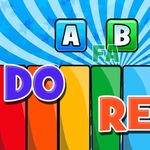
Do Re Mi Piano For Kids is one of those rare browser games that actually delivers exactly what the title promises. You tap or click the bright piano keys and each one spits out a clean, cheerful note. No confusing setup, no extra menus — the keyboard sits right there waiting. The visuals are soft and cartoonish, the kind that makes a toddler lean in and start poking before you can even explain the rules.
I handed this to a four-year-old and within thirty seconds she was mimicking the do-re-mi scale, giggling as the note names popped up above the keys. The game doesn't just play sounds; it shows each note's letter or solfege name, which means kids absorb basic music theory without even realizing it. Some keys trigger little animal noises or playful sound effects, which keeps the younger crowd engaged longer than a plain digital piano would. There's a real charm in how forgiving it is — wrong notes still sound fine, so nobody gets frustrated.
The keyboard controls are a genuine bonus. Actual letter keys map to the piano, so once a child knows where the notes are, they can practice finger placement on a real keyboard. It's not going to turn anyone into Mozart overnight, but as a first introduction to music, it's surprisingly solid. I kept coming back just to see how fast I could tap out Twinkle Twinkle with one hand while eating a sandwich. For a free browser game in the baby-hazel style, that's more than I expected.
👥How to Play Do Re Mi Piano For Kids
Use Mouse To Play and Keyboard
✨Game Tips
Let toddlers mash the keys freely at first — the game rewards random taps with fun sounds, so no need to force a song right away.
Once they know the note order, switch to keyboard controls and call out the letters as they press.
Tap the same key multiple times in a row to build a simple rhythm; the visual feedback helps with timing.
Use a touchscreen with both hands if available — pressing two keys at once creates little chords that surprise and delight.
Turn the volume up enough for clear feedback; kids respond faster when they can hear each note distinctly.
Sing along with the note names while pressing — pairing voice with key press speeds up pitch recognition.
🔧FAQ
Q: Is Do Re Mi Piano For Kids free to play?
A: Yes, it's completely free in your browser with no payment required.
Q: Can I play Do Re Mi Piano For Kids on mobile?
A: Absolutely. The touchscreen controls work great on phones and tablets.
Q: Do I need to download anything to play?
A: No downloads needed. It runs right in your web browser using HTML5.
Q: What age is this game best for?
A: It's designed for toddlers and young kids, roughly ages 2 to 6.
Q: Do I need a physical keyboard or can I just use the mouse?
A: Mouse or touch works fine. A computer keyboard is optional for extra practice.
Q: Does the game include any scary or violent content?
A: Not at all. It's all cheerful sounds, bright colors, and friendly cartoon visuals.