
Draw Parking Online
Play Count0
Published2021-01-07
Supported DevicesPC
CategoryAdventure & RPG
Rating★★★★★5.0Rate this game
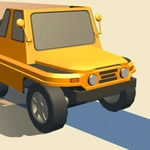
📝Draw Parking Online Overview
Can you draw the perfect route to park without scraping a single bumper?
💬What is Draw Parking Online?
The first thing you notice is how deceptively simple the controls feel. You drag your finger or mouse across the screen to sketch a line from your car to the glowing parking bay, then let go and watch the car roll along every curve you drew. That's it. But the moment the car starts moving, you realize your line was slightly too sharp around the pillar, or you didn't account for how much the back end swings out. I spent a solid fifteen minutes on one multistory level because I kept drawing a path that looked fine from the top-down view but clipped a low wall once the 3D camera tilted. The game punishes sloppy lines harder than you'd expect.
What makes it stick is the physicality. The car has weight, tires grip differently depending on speed, and if you draw a jerky S-curve, the car will brake hard or fishtail. You get limited ink or line length on some levels, which forces you to think about the shortest safe path rather than the prettiest one. I also like how the camera shifts between levels—sometimes you're looking straight down, sometimes from a low angle that hides obstacles behind your car. It keeps you guessing.
It's a quick brain teaser that rewards a steady hand and a little geometry. Not a game you'll sink hours into, but perfect for a five-minute challenge between classes or when you just need to prove you can park better than your last attempt.
👥How to Play Draw Parking Online
Tap and slide
✨Game Tips
- Draw smoother curves to keep your speed up—jerky lines make the car brake or swerve unexpectedly.
- Watch the rear wheels, they cut corners tighter than the front, so give extra space on turns.
- Use the full screen—sometimes the shortest route isn't the safest, and a longer loop avoids a spinning bollard.
- If a level gives you multiple parking spots, aim for the closest one first to reduce total distance and ink usage.
- Don't lift your finger or mouse until you're happy with the line; undoing a half-drawn path wastes precious time.
- On later levels, pause before drawing and check the camera angle—some obstacles are hidden until you rotate the view.
🔧FAQ
Q: Is Draw Parking Online free?
A: Yes, it's completely free to play in your browser with no paywalls or ads that block gameplay.
Q: Can I play Draw Parking Online on mobile?
A: Absolutely, the touch controls work great on phones and tablets—just drag with your finger.
Q: Do I need to download anything?
A: No downloads or installations needed. It runs right in your web browser as an HTML5 game.
Q: Is Draw Parking Online unblocked at school?
A: Usually yes, since it's hosted on unblocked games sites and doesn't require special access.
Q: What if I can't beat a level?
A: You can restart the level as many times as you want, and trying a different route often solves the puzzle.
Q: Does the game have different difficulty settings?
A: The levels get progressively harder, but there's no easy mode—you just have to keep practicing your lines.