
Drawing Carnival
Play Count0
Published2023-06-08
Supported DevicesPC + Mobile
CategoryKids & Educational
Rating★★★★★5.0Rate this game
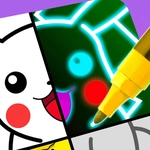
📝Drawing Carnival Overview
Pick a color, drag your finger or mouse, and watch a carnival of doodles come alive on screen.
💬What is Drawing Carnival?
Drawing Carnival is basically a digital box of crayons with no rules. You get a blank space or simple outlines, a palette of colors, and a couple of tools for drawing lines and flooding areas with color. It doesn't try to score you or rush you — you just pick a shade and start making something, whether that's a recognizable clown face or an abstract blob that looks like it got hit by a rainbow.
On a desktop, you drag the mouse to sketch and click to fill. On a phone or tablet, your finger does the same job, which feels surprisingly natural — like finger painting minus the mess. I spent an embarrassing amount of time trying to color inside the lines of a ferris wheel, then gave up and smeared three colors together. It still looked great. That's the whole appeal: there's no 'wrong' way to play.
The interface is clean enough that a five-year-old can navigate it, but I'll admit I kept it open during a boring call just to doodle spirals. It runs instantly in a browser, no download needed. If you want a low-pressure creative break, this is it.
👥How to Play Drawing Carnival
Use mouse to draw lines and fill colors in browsers. Use finger to draw lines and fill colors on mobiles.
✨Game Tips
Pick your color before you start drawing — changing it mid-line can make things messy.
Use the fill tool for large areas instead of scribbling back and forth; it's faster and looks cleaner.
If you mess up, just switch to a darker color and draw over it — nobody's grading your carnival.
Try layering two colors: draw a shape in one color, then fill the inside with another for a cool outline effect.
Give the game a second on a touchscreen; finger dragging feels way more natural than a mouse for freehand curves.
🔧FAQ
Q: Is Drawing Carnival free to play?
A: Yes, it's completely free. There are no paywalls or hidden fees.
Q: Can I play Drawing Carnival on my phone?
A: Absolutely. It works on mobile browsers and supports touch controls.
Q: Do I need to download anything to play?
A: No downloads needed. It runs right in your web browser.
Q: Is Drawing Carnival suitable for young kids?
A: Yes, it's designed to be simple and safe for kids of all ages.
Q: Can I save or print my drawings?
A: Saving depends on the site version; many browser drawing games let you screenshot your work.
Q: Does Drawing Carnival work offline?
A: You need an internet connection to load the game, but it may cache after first load.