
Drift Racer
Play Count0
Published2020-01-27
Supported DevicesPC
CategoryAdventure & RPG
Rating★★★★★5.0Rate this game
📝Drift Racer Overview
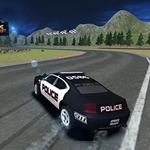
Throw your car sideways through neon-lit corners, squeeze the handbrake, and chain together absurd drift combos in this 3D racer.
💬What is Drift Racer?
Drift Racer doesn't care if you finish first. It cares how much style you can squeeze out of every corner. You've got a car, a handbrake, and a boost button—and that's basically the whole recipe for chaos. I spent twenty minutes on the first track just trying to link three corners without hitting a wall. The trick? Tap space to kick the rear out, then feather the throttle. Not too much, not too little. Just enough to keep the tires smoking while the car stays sideways.
The boost meter fills only while you're drifting, so you can't just floor it down the straights and expect to win. That's the beauty of it: you're rewarded for almost losing control. I found myself deliberately swinging the car early into corners, cranking the wheel opposite lock, and letting the boost rip as soon as the screen started shaking. When you nail a sequence of three or four connected drifts and the multiplier climbs, it feels like the car is on rails—but rails made of butter and adrenaline.
One thing that helped me a ton was switching the camera with C. The default view sits too high for my taste, and the lower chase cam makes it way easier to judge how far the rear end is sliding. Also, don't ignore the handbrake on slow hairpins; it's not just for show. A quick stab of space can rotate the car without losing all your speed, but hold it too long and you'll spin out. The learning curve is quick, but mastering the tracks will eat your afternoon.
👥How to Play Drift Racer
• WASD or arrow keys: drive car;
• Space: handbrake;
• C: key to change view (camera);
• Left Shift: boost car;
• Esc: main menu;
✨Game Tips
Use the handbrake (Space) to start a drift, but release it early to control the angle.
Change camera with C until you find the chase view that shows the car's rear—that makes judging drift angle way easier.
Boost (Left Shift) builds only while you're actively drifting, so don't waste it on straight sections.
Try to chain drifts through multiple corners; the multiplier resets if you straighten out for more than a second.
Watch the edges of the track—many corners have run-off areas, but hitting barriers kills your combo instantly.
If the car feels too twitchy, ease off the throttle mid-drift instead of steering harder.
🔧FAQ
Q: Is Drift Racer free to play?
A: Yes, it's completely free in your browser.
Q: Can I play Drift Racer on mobile?
A: The game works best with a keyboard, but you can try on touchscreen—controls are limited.
Q: Do I need to download anything to play?
A: No downloads needed. It runs directly in your web browser.
Q: What are the keyboard controls?
A: WASD or arrow keys to drive, Space for handbrake, C for camera, Left Shift for boost.
Q: Does Drift Racer have multiple tracks?
A: Yes, several tracks with different layouts, each with unique drifting challenges.
Q: Can I play Drift Racer with a gamepad?
A: It supports keyboard, and some browsers may allow gamepad mapping, but it's not officially supported.