
Drift Rider
Play Count0
Published2024-03-11
Supported DevicesPC
CategoryAdventure & RPG
Rating★★★★★5.0Rate this game
📝Drift Rider Overview
Throw your ride sideways into every corner, feather the throttle, and see how long you can hold a drift before the tires give up.
💬What is Drift Rider?
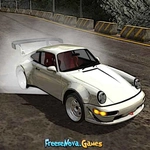
You're behind the wheel of a low-slung sports car on a tight, twisting track. The objective isn't to cross a finish line first—it's to accumulate points by holding drifts through corners. The longer you slide, the more your score multiplier climbs, but so does the risk of spinning out or clipping a barrier. Tap the brake mid-corner to shift weight, then feather the throttle to balance the slide.
WASD or arrow keys handle steering and acceleration, space is your brake, and R resets the car if you end up facing the wrong way. Hit P to enlarge the screen (useful for spotting the next turn), and C cycles the camera. The default chase cam is fine, but the hood cam makes judging your car's angle way easier. I kept finding myself using the hood cam for tight sequences, then switching back to chase for longer sweepers.
The drift model is arcadey rather than simulation—you won't be managing tire pressure or differential settings. That's fine, because it makes learning the rhythm of each corner satisfying without a physics lecture. The real challenge is linking multiple corners without straightening out or over-rotating. Nailing a three-corner chain at full speed feels stupidly good. If you're new, start with gentle throttle and don't be afraid to use the brake to tuck the nose in.
👥How to Play Drift Rider
Navigate the car using either the WASD keys or the Arrow keys. Brake with the Space key. Reset the car by pressing the R key. Enlarge the screen with the P key. Change the camera view with the C key.
✨Game Tips
Brake early into corners, then power out to initiate the drift rather than slamming the gas mid-turn.
Use the hood cam (C key) to judge your car's angle; it's much easier to catch a slide before it spins.
Don't hold full throttle through a long drift—feathering the gas keeps the wheels spinning without looping you around.
Reset with R the moment you face backwards; waiting just wastes time and kills your multiplier.
Enlarge the screen with P to spot upcoming corners sooner, especially on high-speed sections.
🔧FAQ
Q: Is Drift Rider free to play?
A: Yes, it's completely free in your browser—no paywalls or hidden fees.
Q: Can I play Drift Rider on my phone?
A: The game is built for keyboard, so mobile touch controls aren't supported. Use a desktop or laptop.
Q: Do I need to download anything?
A: No downloads. It runs in any modern web browser with HTML5 support.
Q: What are the controls for Drift Rider?
A: WASD or arrows to drive, Space to brake, R to reset, P to enlarge, C to change camera.
Q: Is there a way to pause or restart a run?
A: No pause button, but pressing R instantly resets your car so you can start the drift again.
Q: Can I change the camera view?
A: Yes, press C to cycle through camera angles, including a hood cam that helps judge drift angle.