
Easy Kids Coloring Minecraft
Play Count0
Published2020-08-19
Supported DevicesPC + Mobile
CategoryKids & Educational
Rating★★★★★5.0Rate this game
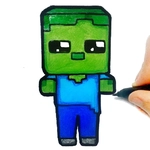
📝Easy Kids Coloring Minecraft Overview
Grab your crayons and splash color across blocky Minecraft scenes — no crafting table required.
💬What is Easy Kids Coloring Minecraft?
Coloring games often feel mindless, but this one taps into something specific: the chunky outlines and familiar Minecraft shapes make it weirdly satisfying to fill in. You get a set of simple, thick-lined drawings — creepers, Steve, pigs, the usual blocky crew — and a palette of bright, kid-friendly colors. The controls are dead simple: click or tap a color, then click or tap a region. The color snaps into place with a soft pop, and before you know it you've spent ten minutes deciding whether that creeper should be classic green or something unhinged like hot pink.
For younger players, the appeal is obvious: no timers, no mistakes, no wrong answers. You can recolor any section as many times as you want, which means a three-year-old can go bananas and still end up with something they're proud of. I actually found myself being weirdly deliberate with the shading on a pixelated sword — the segmented blocks make each little square its own mini decision. It's relaxing in the same way those adult coloring books are, just with more TNT.
The Minecraft angle is more than a skin job. The blocky aesthetic translates perfectly to a coloring activity because everything already looks like a grid. If you know the game, you'll get a kick out of coloring a zombie's shirt the same shade as your own skin from that one survival world. If you don't know Minecraft, it's just a bunch of cute square monsters and animals. Either way, it's a low-pressure, high-satisfaction time sink — the kind of thing you open for five minutes and accidentally play through lunch.
👥How to Play Easy Kids Coloring Minecraft
Mouse or tap to play.
✨Game Tips
Tap the paint bucket icon to fill larger areas instantly instead of clicking each block.
Use the eraser tool if you change your mind about a section — it resets only that color, not the whole page.
Try coloring a creeper entirely in shades of green, then swap one block to red for a fun glitch effect.
If you're on mobile, zoom in with a pinch to reach smaller blocks without fat-fingering the wrong spot.
Don't sleep on the background areas — a colored sky or grass can make the whole page pop.
Save your finished pages by taking a screenshot, since there's no built-in save button.
🔧FAQ
Q: Is Easy Kids Coloring Minecraft free to play?
A: Yes, it's completely free with no paywalls or locked colors.
Q: Can I play Easy Kids Coloring Minecraft on my phone?
A: Yes, it works on mobile browsers with tap controls.
Q: Do I need to download anything to start playing?
A: No downloads needed — just open the page and start coloring.
Q: Is this game safe for very young kids?
A: Absolutely, there's no violence, ads, or external links, only coloring.
Q: What ages is Easy Kids Coloring Minecraft best for?
A: It's ideal for ages 3 to 8, but anyone who likes Minecraft will enjoy it.
Q: Can I change a color after I've already filled a section?
A: Yes, just select a new color and click the section again to overwrite it.