
EVO City Driving
Play Count0
Published2021-04-23
Supported DevicesPC
CategoryAdventure & RPG
Rating★★★★★5.0Rate this game
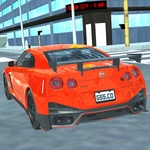
📝EVO City Driving Overview
Hop in a car, tear through a sprawling city, and break every traffic law while dodging cars at full speed.
💬What is EVO City Driving?
You get dropped into a 3D city with a car and no real objective beyond keep moving. The streets are packed with AI traffic that doesn't care about your existence, so every intersection becomes a gamble. I lost count of how many times I clipped a bus while trying to cut a corner. The damage model is forgiving enough that you limp away, but the physics still make high-speed weaving feel genuinely tense.
Controls are simple: WASD to drive, Space to brake, and C to cycle cameras. The camera switch is the sneaky best feature. Default view sits low behind the car, which is great for speed, but tapping C to the overhead or hood cam changes how you read traffic. I spent a good ten minutes just cruising in third-person, then switched to a higher angle and suddenly saw gaps I'd been missing. Braking with Space feels a bit odd at first if you're used to S, but you adapt fast.
The real hook is that there's no timer, no score chasing unless you want to cause chaos, and the city loops back on itself. You can just drive like a normal person for a while, then floor it past a line of trucks and see what happens. It's a sandbox where the only fail state is your own patience. Not a deep sim, but for a free browser game it scratches the open-world itch better than most.
👥How to Play EVO City Driving
WASD - Drive. Space - Brake. C - Change camera.
✨Game Tips
Use the C key often. Different camera angles reveal gaps in traffic you can't see from the default chase view.
Brake early before corners. Space bar braking has a slight delay, so start slowing down a second before you think you need to.
Don't hold W the entire time. Feather the throttle to keep control on crowded streets.
The police don't chase you (unless that changes in a specific mode). Use that freedom to explore dead ends and back alleys.
If you flip or get stuck, just restart the level. There's no penalty for resetting and trying a new route.
Try driving on the wrong side of the road. It's chaos but it also teaches you to read oncoming traffic better.
🔧FAQ
Q: Is EVO City Driving free to play?
A: Yes, it's completely free in your browser. No hidden fees or sign-ups.
Q: Can I play EVO City Driving on my phone?
A: It works best on desktop with a keyboard, but many mobile browsers can still load it with on-screen controls if available.
Q: Do I need to install anything to start playing?
A: No downloads needed. Just open the game page and it runs instantly using HTML5.
Q: How do I brake in EVO City Driving?
A: Press the Space bar to slow down or stop your car. Use it before sharp turns to avoid spinning out.
Q: What does the C key do?
A: Press C to cycle through different camera angles. Find one that suits your driving style, like a chase cam or hood view.
Q: Is there a specific mission or can I just drive around?
A: You can free roam the city at your own pace. There may be side objectives, but the core fun is exploring and driving.