
Fast Furious Skyline
Play Count0
Published2021-07-19
Supported DevicesPC + Mobile
CategoryAdventure & RPG
Rating★★★★★5.0Rate this game
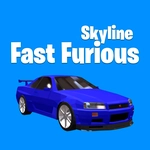
📝Fast Furious Skyline Overview
Clip a taxi's bumper at 140 mph and you'll know this isn't a Sunday drive—it's pure reflexes on a neon highway.
💬What is Fast Furious Skyline?
The first time I clipped a taxi's bumper at 140 mph, I knew this wasn't a Sunday drive. Fast Furious Skyline drops you into a 3D cityscape where the only goal is forward, faster, and don't wreck. Arrow keys steer, up accelerates, space slams the brakes—or maybe it's nitro? The control scheme is simple enough to learn in ten seconds, but threading between lanes of traffic at night with neon reflections streaking past takes real nerve. Mobile touch controls work surprisingly well too; I found myself tilting my phone like a steering wheel before I even realized it.
What keeps me coming back is the near-miss system. Grazing a delivery truck by a few pixels gives you a burst of adrenaline—literally, the screen pulses and your speed climbs. But one solid collision and you're done, respawned at the start with your multiplier reset. It's brutal in the best way. There's no story, no upgrades, just you, a Skyline, and an endless stretch of highway. Some runs last three minutes, some thirty seconds, and that randomness is addictive. The 3D graphics are clean but not fancy; they don't need to be when you're focusing on the gap between a bus and a guardrail at 200 km/h.
If you like arcade racers that respect your reflexes, this one hits. It's not a sim, it's a reflex test with a gorgeous car skin. I kept telling myself "one more run" until the sun came up. You've been warned.
👥How to Play Fast Furious Skyline
Arrow Keys and Space Button / Mobile Touch Control
✨Game Tips
Stay in the center lane when traffic thins out; it gives you an extra half-second to react to cross-traffic.
Tap the brake instead of holding it—short pulses let you keep momentum while shifting lanes.
Near-misses build a speed multiplier, so deliberately graze cars when you have space to recover.
Use the shoulder on long straights; it's usually empty and gives a clean line.
Don't fixate on the car ahead—scan two lanes over to spot openings early.
If you're on mobile, turn off auto-rotate and play in landscape for a wider view.
🔧FAQ
Q: Is Fast Furious Skyline free to play?
A: Yes, it's completely free to play in your browser with no hidden fees or premium currency.
Q: Can I play Fast Furious Skyline on mobile?
A: Yes, the game supports touch controls and works on most modern smartphones and tablets.
Q: Do I need to download anything to play Fast Furious Skyline?
A: No downloads needed. It runs instantly in any web browser that supports HTML5.
Q: What are the controls for Fast Furious Skyline?
A: Use arrow keys to steer and accelerate, and space bar to brake. On mobile, swipe or tilt to control.
Q: Is Fast Furious Skyline unblocked at school or work?
A: As long as the site hosting it isn't blocked, the game itself requires no special permissions.
Q: Does Fast Furious Skyline save my high score?
A: It tracks your best distance locally in your browser. Clearing cookies resets progress.