
FireEgg
Play Count0
Published2025-08-14
Supported DevicesPC
CategoryAdventure & RPG
Rating★★★★★5.0Rate this game
📝FireEgg Overview
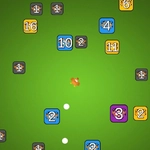
A lone egg with a molten core hops through crumbling ruins—one click decides if it lands safe or cracks into ash.
💬What is FireEgg?
FireEgg hands you a single glowing egg and a world that wants to break it. You don't steer with a joystick or mash combos. You click. Or tap. That's the whole control scheme, and honestly, it's enough to make your palms sweat. The egg leaps forward every time you click, and the leaping has a weird, heavy momentum that takes a few runs to truly feel. I died a dozen times before I stopped blaming the game and started timing my clicks half a beat earlier than felt natural.
What kept me coming back wasn't the fire gimmick—the egg leaves little ember trails and can burn through certain blocks—but the level design. Each screen is a short puzzle where you have to read the timing of falling platforms, moving spikes, and rotating gears. There's no checkpoint mid-level, so every run becomes a tightrope walk. That sounds frustrating, but because the levels are so compact, restarting doesn't sting. You're back in the action within two seconds, and by the fifth attempt, your muscle memory starts doing the work while your brain stops screaming.
There's a quiet confidence to the whole thing. No tutorial, no story text, just the egg's tiny hop and the crackle of flames. If you like games like Red Ball or the old school Flash platformers that punished button mashing with instant splat, you'll feel right at home. Don't expect a power fantasy. Expect a lot of deaths, a few well-earned curses, and the rare, glorious run where everything clicks and you surf the egg to victory.
👥How to Play FireEgg
Mouse click or tap to play
✨Game Tips
Click in the air right after leaving a ledge to get a slight double-hop effect—timing it late gives you extra distance.
🔧FAQ
Q: Is FireEgg free to play?
A: Yes, it's completely free in your browser.
Q: Can I play FireEgg on mobile?
A: Yes, the tap controls work great on phones and tablets.
Q: Do I need to download anything?
A: No downloads or installs—just open the game and play.
Q: Does FireEgg work on school Wi-Fi?
A: It's unblocked, so you can play without restrictions at most schools.
Q: How do I restart a level quickly in FireEgg?
A: You can press R on keyboard or use the restart button on the screen.
Q: Is there a way to save my progress?
A: Progress saves automatically in your browser's local storage.