
Golf Cars Simulator
Play Count0
Published2020-04-10
Supported DevicesPC
CategoryAdventure & RPG
Rating★★★★★5.0Rate this game
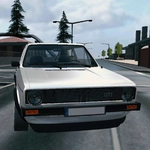
📝Golf Cars Simulator Overview
Hop into a gloriously underpowered golf cart and discover why 15 mph through sand traps beats a supercar any day.
💬What is Golf Cars Simulator?
You wouldn't think a golf cart could be this much fun, but here we are. Golf Cars Simulator drops you behind the wheel of a glorified lawnmower with a roof and dares you to treat it like a rally car. The physics are delightfully wonky—carts bounce over curbs, slide through grass, and occasionally threaten to tip if you take a corner too hard. I spent way too long just doing donuts on the practice green. The handbrake (Space) is your best friend for sharp turns, and changing the camera with C actually matters when you're trying to squeeze between a sand trap and a water hazard without becoming the hazard.
There's no strict objective, which is both a blessing and a curse. You're free to explore the course, find jumps, or just cruise around like you own the place. But if you're the type who needs a finish line, you might wander aimlessly. That said, the open layout is the charm—each hole feels like a mini sandbox, and the carts have enough weight to feel planted yet enough bounce to keep things chaotic. I found myself pretending the golf flags were checkpoints and timing laps around the greens. Stupid? Absolutely. But it's the kind of stupid that makes you late for dinner.
Performance is solid, the controls respond instantly, and the low-poly 3D art gives it a cozy, slightly retro vibe. It's not a deep sim by any stretch, but as a quick, physics-heavy joyride, it hits a sweet spot. Just be ready to fight the urge to shout "fore" every time you launch off a hill.
👥How to Play Golf Cars Simulator
Controls:
• WASD to control car
• Press Space for handbrake
• Press Escape
• Tab to toggle pause
• Press C to change camera
✨Game Tips
Use the handbrake (Space) to flick the rear end around tight corners—it's more effective than braking.
Switch camera with C before tricky sections; third-person chase works better for jumps, first-person for precision.
Treat grass like ice: your grip drops a lot off the path, so slow down on fairways if you're trying to be precise.
Don't be afraid to go full send on the small hills—the cart can take a beating, and the landings are hilarious.
If you get stuck against a wall or tree, reverse and turn the wheel hard while tapping the handbrake to wiggle free.
Explore the edges of the map; there are usually hidden ramps or fun bumps the main paths don't show you.
🔧FAQ
Q: Is Golf Cars Simulator free?
A: Yes, it's completely free to play in your browser.
Q: Can I play Golf Cars Simulator on mobile?
A: The game supports keyboard controls, so it works best on desktop. Touch controls are not available.
Q: Do I need to download anything?
A: No downloads or installs needed. It runs instantly on any modern browser.
Q: What are the controls?
A: Use WASD or arrow keys to drive, Space for handbrake, C to change camera, and Tab to pause.
Q: Can I play with a friend?
A: No, it's a single-player experience. But you can trade the keyboard every few minutes.
Q: Why does my golf cart tip over?
A: You're turning too sharply at high speed. Ease off the throttle and use the handbrake lightly for slides.