
Grand City Stunts
Play Count0
Published2020-12-14
Supported DevicesPC
CategoryAdventure & RPG
Rating★★★★★5.0Rate this game
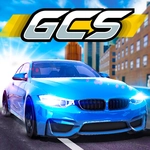
📝Grand City Stunts Overview
Ever launched a sports car off a skyscraper ramp just to see if it lands on all four wheels? That's Grand City Stunts.
💬What is Grand City Stunts?
Grand City Stunts drops you and a friend into a massive 3D playground full of ramps, loops, and suspiciously placed jumps. It's not really a racing game—more like a stunt sandbox where the only goal is to out-crazy your buddy. You've got two full control schemes on one keyboard: WASD for player one, arrows for player two, plus nitrous, handbrake, and even a look-back button. I spent way too long just drifting a muscle car around a parking garage before I ever found the giant half-pipe.
The physics sit in that sweet spot between arcade and believable. Hit a ramp too slow and you'll nose-dive into the pavement; too fast and you'll overshoot the landing zone into a building. The nitro button becomes your best friend once you realize it recharges faster than you'd expect. My favorite moment: lining up a jump over a moving train, missing by a car length, and watching my character ragdoll through the windshield as the car exploded in the background. It's chaotic, but the respawn key (R for P1, O for P2) means you're back in the action in seconds.
The city itself is huge—or at least feels huge when you're lost in a maze of skyscrapers and overpasses. There's no minimap, no objective markers. Just you, your co-op partner (or yourself if you're alternating), and whatever dumb stunt you decide to attempt next. The look-back button is surprisingly useful for checking if your friend is about to T-bone you at an intersection. And yes, that will happen. A lot.
👥How to Play Grand City Stunts
Player 1:
Move: "W,A,S,D"
Nitro: "F"
Look back: "T"
Respawn: "R"
Handbrake: "SPACE"
Player 2:
Move: "ARROW KEYS"
Nitro: "K"
Respawn: "O"
Look back: "L"
Handbrake: "RIGHT-SHIFT"
✨Game Tips
Nitro recharges fast—use it on every ramp approach, not just straightaways.
Handbrake isn't just for sliding; tap it right before a jump to adjust your pitch in the air.
Use look-back (T or L) to spot incoming traffic or a friend trying to ram you.
If you flip upside down, don't wait—hit respawn immediately to avoid wasting time.
The city has hidden side ramps behind buildings; detour off main roads to find bigger air.
Coordinate with your co-op partner: one drives, the other provides a ramp with their car.
🔧FAQ
Q: Is Grand City Stunts free to play?
A: Yes, it's completely free—no hidden charges or in-game purchases. Just load it and drive.
Q: Can I play Grand City Stunts on mobile?
A: It's designed for keyboard controls, so mobile play isn't officially supported. Stick to a desktop or laptop.
Q: Do I need to download anything to play?
A: No download needed. It runs in your browser as an HTML5 game. No install required.
Q: Can two people play on the same keyboard?
A: Absolutely. Player 1 uses WASD and player 2 uses arrow keys—that's the whole point of the local co-op.
Q: What's the nitro button for player 1?
A: Press F for a speed boost. Player 2 uses K. Nitro recharges over time, so don't save it forever.
Q: Is there a single-player mode?
A: Yes, you can explore and stunt alone. Just ignore the second player controls and drive with WASD.