
Gumball Darwins Yearbook
Play Count0
Published2021-09-17
Supported DevicesPC + Mobile
CategoryAdventure & RPG
Rating★★★★★5.0Rate this game
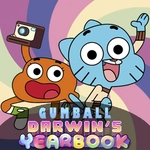
📝Gumball Darwins Yearbook Overview
Swap between the lazy cat and his fish buddy to piece together a yearbook that's falling apart — literally, page by page.
💬What is Gumball Darwins Yearbook?
The moment I realized I could swap mid-jump, the whole thing clicked. You're not just picking one character — you're managing two at once, and the game knows exactly when to make you panic-switch. Gumball's floatier jump gets you the high platforms, while Darwin's shorter hop and slightly different hitbox force you to think about who goes where. It's a simple platformer on the surface, but the tag-team angle keeps every screen feeling like a tiny puzzle.
The yearbook premise is thin, sure — pages are scattered, you grab them. But the real hook is how the levels unfold. Some ledges only crumble under one character, some switches need a specific body type. I caught myself backtracking more than once because I'd sent the wrong blue guy into a dead end. The cartoon art style is ripped straight from the show, which helps if you're a fan, but even if you don't know Elmore, the movement feels tight enough to carry it.
It's not going to replace Celeste or anything, but for a quick browser session it hits the spot. Kids will love the characters, and grown-ups who remember the show will get a kick out of the little references. Just don't expect a deep story — you're here to jump, switch, and collect, and honestly that's enough.
👥How to Play Gumball Darwins Yearbook
Use arrows to move, jump and button to switch between Gumball and Darwin.
✨Game Tips
Switch characters mid-air if you overshoot a ledge — the second character spawns right where you left off.
Gumball's higher jump is your key to vertical sections; save Darwin for tight corridors and low ceilings.
Check behind you at the start of each level. There's almost always a page tucked just off screen.
The button to swap isn't instant death — use it as a reset if one character gets stuck on a one-way platform.
Don't rush the double-jump. Both characters have slightly different air control, so test it before a big gap.
🔧FAQ
Q: Is Gumball Darwins Yearbook free to play?
A: Yes, it's completely free in the browser. No payment or account needed.
Q: Can I play on my phone or tablet?
A: The game runs on mobile browsers, but keyboard controls work best. Touch controls may be available.
Q: Do I need to download anything?
A: No downloads. It's an HTML5 game that loads directly in your web browser.
Q: How do I switch between Gumball and Darwin?
A: Press the swap button shown on screen. On desktop it's usually Space or Shift.
Q: Is the game suitable for young kids?
A: Absolutely. There's no violence, just platforming and collecting yearbook pages.
Q: What if the game doesn't load?
A: Try refreshing the page or switching browsers. Make sure JavaScript is enabled.