
Halloween Coloring Books
Play Count0
Published2021-06-15
Supported DevicesPC + Mobile
CategoryKids & Educational
Rating★★★★★5.0Rate this game
📝Halloween Coloring Books Overview
Grab your virtual crayons and turn spooky Halloween scenes into colorful masterpieces—no mess, just pure creative chill.
💬What is Halloween Coloring Books?
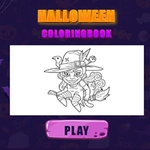
I'm not usually one for coloring apps, but Halloween Coloring Books hooked me with its dead-simple click-to-fill setup. You get a stack of spooky line art—grinning pumpkins, sheet ghosts, witch hats, haunted houses—and a palette of crayons that covers everything from midnight black to pumpkin orange. Tap a section, pick a color, and it floods in cleanly. No smudging, no broken crayons, no "you went outside the lines" guilt. The first time I filled a ghost's entire body with neon green by accident, I laughed, tapped undo, and tried a moody purple instead. That's the whole loop: experiment, undo, experiment again.
The game leans into touch controls hard. On a phone or tablet, you just tap the section you want and then tap a color. On desktop, it's mouse clicks. There's no timer, no score, no penalty for coloring a bat pink with orange polka dots. It's closer to a digital coloring book than a game, and that's exactly why it works. Kids will love the Halloween theme—nothing too scary, just playful spooky stuff—and adults can zone out for ten minutes between meetings. I kept coming back to a particularly detailed haunted house page because filling each tiny window with a different glow color felt weirdly satisfying.
If you're looking for adrenaline, this isn't it. But if you want a quiet, festive way to kill time or keep a kid busy on a car ride, Halloween Coloring Books delivers. The interface is clean, the colors are bold, and the pages are just detailed enough to be engaging without feeling like busywork. You can save your finished pages or just start over—either way, it's a low-stakes creative sandbox with a Halloween twist.
👥How to Play Halloween Coloring Books
Touche screen Controls
✨Game Tips
Tap a section first, then choose the color—it previews before you commit, so you can test wild combos without messing up the page.
Use the undo button like a time machine; don't be afraid to recolor the same pumpkin five times.
Zoom in on detailed pages (pinch on mobile, scroll wheel on desktop) to hit those tiny window panes without spilling over.
Pick a limited palette of 3-4 colors per page for a cohesive look—neon everything gets chaotic fast.
Save your favorite pages to compare later or show a friend; the gallery holds more than you'd expect.
If a section won't fill, make sure you tapped the area cleanly—some line art has tiny gaps that need a second tap.
🔧FAQ
Q: Is Halloween Coloring Books free?
A: Yes, it's completely free to play in your browser with no hidden paywalls.
Q: Can I play Halloween Coloring Books on mobile?
A: Absolutely. The touch controls work great on phones and tablets—just tap a section and pick a color.
Q: Do I need to download anything?
A: No downloads needed. It runs right in your browser as an HTML5 game.
Q: Is Halloween Coloring Books suitable for young kids?
A: Yes, the Halloween art is cute, not scary, and there's no violence or pressure.
Q: Can I save my finished coloring pages?
A: You can save them to your device or take a screenshot to keep your favorites.
Q: Does Halloween Coloring Books have any ads?
A: It may show minor ads, but they don't interrupt the coloring experience.