
Haton
Play Count0
Published2022-06-06
Supported DevicesPC + Mobile
CategoryAdventure & RPG
Rating★★★★★5.0Rate this game
📝Haton Overview
A tiny hat-like hero with a double jump that can turn a fatal fall into a graceful save—how far can you push through the floating ruins?
💬What is Haton?
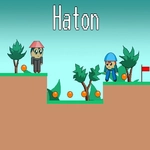
Haton drops you into a series of crumbling platforms suspended over a bottomless void. The little guy moves with a floaty weight that takes a minute to get used to. You'll tap W or Up twice to double jump, and the second tap isn't just a little hop—it's a full extra boost that lets you clear gaps you'd swear were impossible. I died a lot on the third area with the moving spike blocks, mainly because I kept forgetting the double jump resets after landing. Once you learn to use it as a mid-air correction tool instead of a panic button, the whole game opens up.
There's a subtle rhythm to the level design. Some platforms crumble the moment you touch them, others shift back and forth. The spike pits are placed just far enough apart that a single jump won't cut it, but a well-timed double jump will. Hidden collectibles sit on ledges that look out of reach—usually you need to double jump from a moving platform or bounce off a spring block. I found one secret area by accident after overshooting a jump and landing on a tiny ledge that looked decorative. That's the kind of game this is: it rewards curiosity, not just reflexes.
Visually, Haton goes for a soft, pastel palette with chunky pixel art. The music is calm, almost lullaby-like, which creates a weird contrast when you're hurtling toward a spike. It's not a long game by any means, but the difficulty curve is fair—each death teaches you something about momentum and timing. If you like platformers that punish impatience but never feel cheap, this one's worth a lunch break.
👥How to Play Haton
Use "WASD" or "Arrow" keys for the player's movement.
Use "W" or "Up" arrow key twice for double jump.
✨Game Tips
Tap jump twice in quick succession right after leaving the ground—the second tap gives a full extra boost, not just a little hop.
Don't panic if you miss a platform; use the double jump mid-air to steer back onto a ledge instead of falling.
Watch for crumbling blocks that break instantly. They usually sit right before a spike pit, so plan your jump early.
Some walls look solid but aren't. Give suspicious edges a nudge with a double jump to find hidden collectibles.
Timing matters more than speed. Moving platforms have a rhythm—wait for the right moment rather than rushing.
The double jump resets when you land, so chain jumps across narrow pillars without losing momentum.
🔧FAQ
Q: Is Haton free to play?
A: Yes, Haton is completely free in your browser. No payment or subscription needed.
Q: Can I play Haton on my phone?
A: The game works best with a keyboard, but mobile browsers can run it if you enable on-screen controls.
Q: Do I need to download anything to play Haton?
A: No downloads. Haton runs directly in your browser as an HTML5 game.
Q: What are the controls for Haton?
A: Use WASD or arrow keys to move. Press W or Up twice quickly to double jump.
Q: Is Haton suitable for younger kids?
A: Yes, there's no violence or scary content—just tricky platforming that might frustrate very young players.
Q: Does Haton save my progress?
A: Progress is reset each session, but the game is short enough to finish in one sitting.