
Heavy Crane Simulator Online
Play Count0
Published2021-04-02
Supported DevicesPC
CategoryAdventure & RPG
Rating★★★★★5.0Rate this game
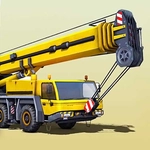
📝Heavy Crane Simulator Online Overview
There's something weirdly satisfying about swinging a two-ton girder over a busy construction site without smashing anything.
💬What is Heavy Crane Simulator Online?
You start behind the controls of a proper heavy crane, not some toy. WASD moves the whole rig around the site, arrow keys work the boom, cable, and hook, and Q/E flips through camera angles—including a top-down view that you'll quickly learn to love for lining up drops. The first time you try to lift a container, the load swings like it actually has weight. That's the hook. You'll nudge the arrow keys, panic as the cable starts swaying, overcorrect, and then spend ten minutes trying to park a steel beam exactly where the marker wants it.
What surprised me is how much patience it demands. The crane's reach isn't infinite, so you have to reposition the base constantly—drive forward, swing the boom around, lower the hook, and hope the load doesn't clip a scaffold. There are no timers or score attacks, just a quiet, methodical grind. I failed a lift three times before realizing I could switch to the overhead camera and actually see the gap between the load and the target. That small discovery changed everything. The controls aren't arcade-snappy; they feel deliberately heavy, like real machinery. It's frustrating in the best way—you know the mistake was yours, not the game's.
Graphically it's nothing fancy, but the 3D space reads well. Shadows and scale do a lot of work. You'll squint at the distance between the hook and the ground, lower it inch by inch, and breathe out when it finally latches. There's no story, no upgrades, just you versus physics. I kept coming back because each successful lift feels earned. If you enjoy simulators where precision matters more than speed, this one scratches that itch. Just don't blame me if you start narrating your own safety briefings.
👥How to Play Heavy Crane Simulator Online
WASD - move, Arrow keys - crane controls, QE - switch views
✨Game Tips
Use Q or E to snap to the top-down camera before lowering the hook—it shows clearance like nothing else.
Counter a swinging load by tapping the opposite arrow key gently, not holding it.
Drive the crane base closer to the drop zone instead of overextending the boom.
Start with lighter pallets to learn how the cable and hook respond before tackling steel beams.
Lower the load as slowly as possible when it's near the ground; slamming it down can bounce the hook and ruin your placement.
Reposition the entire crane if the target is behind you—rotating the cab only gets you so far.
🔧FAQ
Q: Is Heavy Crane Simulator Online free to play?
A: Yes, it's completely free with no paywalls or locked levels.
Q: Can I play Heavy Crane Simulator Online on my phone?
A: It works in mobile browsers, but keyboard controls are highly recommended for precision.
Q: Do I need to download or install anything?
A: No downloads needed. It runs in any modern web browser as HTML5.
Q: What are the basic controls for the crane?
A: WASD moves the crane, arrow keys control boom, cable, and hook, and Q/E switches camera views.
Q: Is there a time limit or score system?
A: No time pressure. You can take as long as you need to complete each lift.
Q: Can I save my progress in the game?
A: The game doesn't have a save system, but it's a session-based sandbox so you can just start fresh anytime.