
Hetto 2
Play Count0
Published2023-02-14
Supported DevicesPC + Mobile
CategoryAdventure & RPG
Rating★★★★★5.0Rate this game
📝Hetto 2 Overview
Double jump your way through pixel-perfect platforming gauntlets where one mistimed landing sends you back to the start.
💬What is Hetto 2?
The first thing you'll notice about Hetto 2 is how tight the double jump feels. You tap W or Up once for a normal hop, then again mid-air to get just a bit more height—and that second tap is everything. I lost count of how many times I cleared a spike pit by a single pixel because I timed the second jump late. It's not forgiving, but it's fair. The levels are built around that mechanic, with floating platforms, crumbling tiles, and enemies placed exactly where your thumb wants to panic.
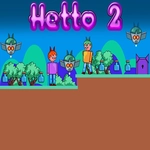
Visually it's a clean retro adventure, all bright colors and chunky sprites that read instantly. You'll die a lot, especially when you discover that some gaps require you to double jump early, not late. That's the kind of tiny design choice that separates a decent platformer from a great one. There's no story to bog you down—just you, a little hero, and a series of increasingly sadistic obstacle courses. I kept coming back to shave a few seconds off my clear time or grab a collectible I'd missed on the first pass.
If you're on a keyboard, stick with WASD or arrows; the controls feel responsive either way. The double jump isn't unlimited—you get exactly one extra mid-air hop after leaving the ground, so don't waste it. Some later sections hide bonuses above the visible path, and the only way to reach them is to save that second jump until the very peak of your arc. It's the kind of game that rewards stubbornness, and I mean that as a compliment.
👥How to Play Hetto 2
Use "WASD" or "Arrow" keys for the player's movement.
Use "W" or "Up" arrow key twice for double jump.
✨Game Tips
- Treat your second jump as a course correction, not a height boost—tap it right before you'd land short.
- When a gap looks just barely too wide, try double jumping at the start of your arc instead of the end.
- Don't rush past floating platforms; they often hide collectibles directly above the main path.
- If you keep dying on one section, count the beats: the spike patterns repeat, so time your jumps to the rhythm.
🔧FAQ
Q: Is Hetto 2 free to play?
A: Yes, it's completely free in your browser with no paywalls.
Q: Do I need to download anything to play Hetto 2?
A: No downloads or installs required. Just load the page and start jumping.
Q: Can I play Hetto 2 on mobile?
A: The game is optimized for keyboard controls, but it may work on touch devices depending on your browser.
Q: What are the controls for Hetto 2?
A: Use WASD or arrow keys to move. Press W or Up twice for a double jump.
Q: Is Hetto 2 unblocked at school?
A: Since it runs in a standard browser, many school networks allow it if the site itself isn't blocked.
Q: How do I get better at the platforming in Hetto 2?
A: Practice the double jump timing in the first few levels to build muscle memory for later gaps.